Nextcloud VDR
Build a secure VDR on Nextcloud with full control and visibility
Keep your Nextcloud workflow and add virtual data room capabilities for secure sharing, document tracking, and workflow actions.
Know who viewed what, when they engaged, and what to do next.
What is a Nextcloud VDR?
A Nextcloud VDR (virtual data room) is a secure environment for sharing sensitive documents in workflows such as fundraising, M&A diligence, legal exchange, and enterprise collaboration.
Nextcloud provides a strong self-hosted storage foundation, but many teams add sharing intelligence and workflow capabilities to support high-stakes external distribution.
Limitations of using Nextcloud alone as a data room
- Limited visibility into external viewer behavior
- No built-in engagement workflow for follow-up timing
- Link sharing does not provide decision-ready context
- Advanced distribution controls can require additional tooling
Nextcloud handles storage well, but controlled distribution needs another layer.
Add a VDR layer to Nextcloud
Coneshare adds secure sharing controls, engagement visibility, and workflow actions to selected Nextcloud-based external sharing workflows.
How to build a Nextcloud VDR
- 1. Store files in Nextcloud
Organize and maintain documents in your existing Nextcloud workspace.
- 2. Connect Nextcloud to Coneshare
Import selected files into controlled sharing workflows.
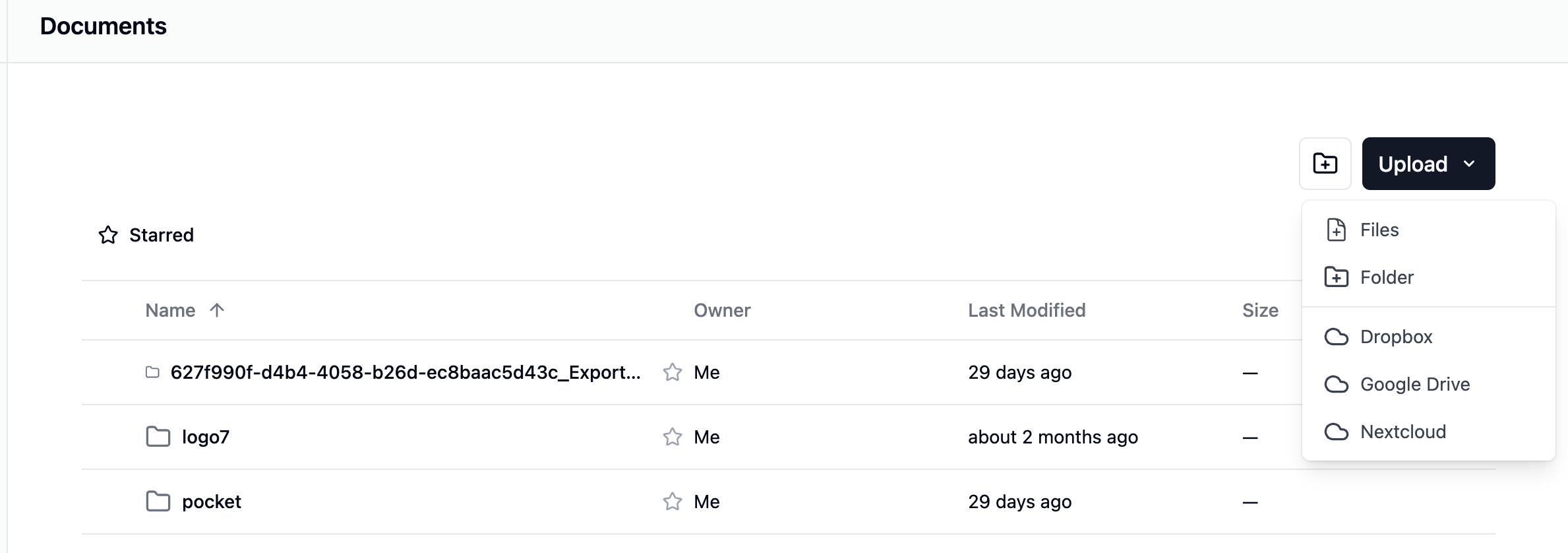
Connect existing storage workflows and import selected files for controlled external sharing.
- 3. Apply VDR controls
Set passwords, expirations, email verification, download restrictions, and watermarking.
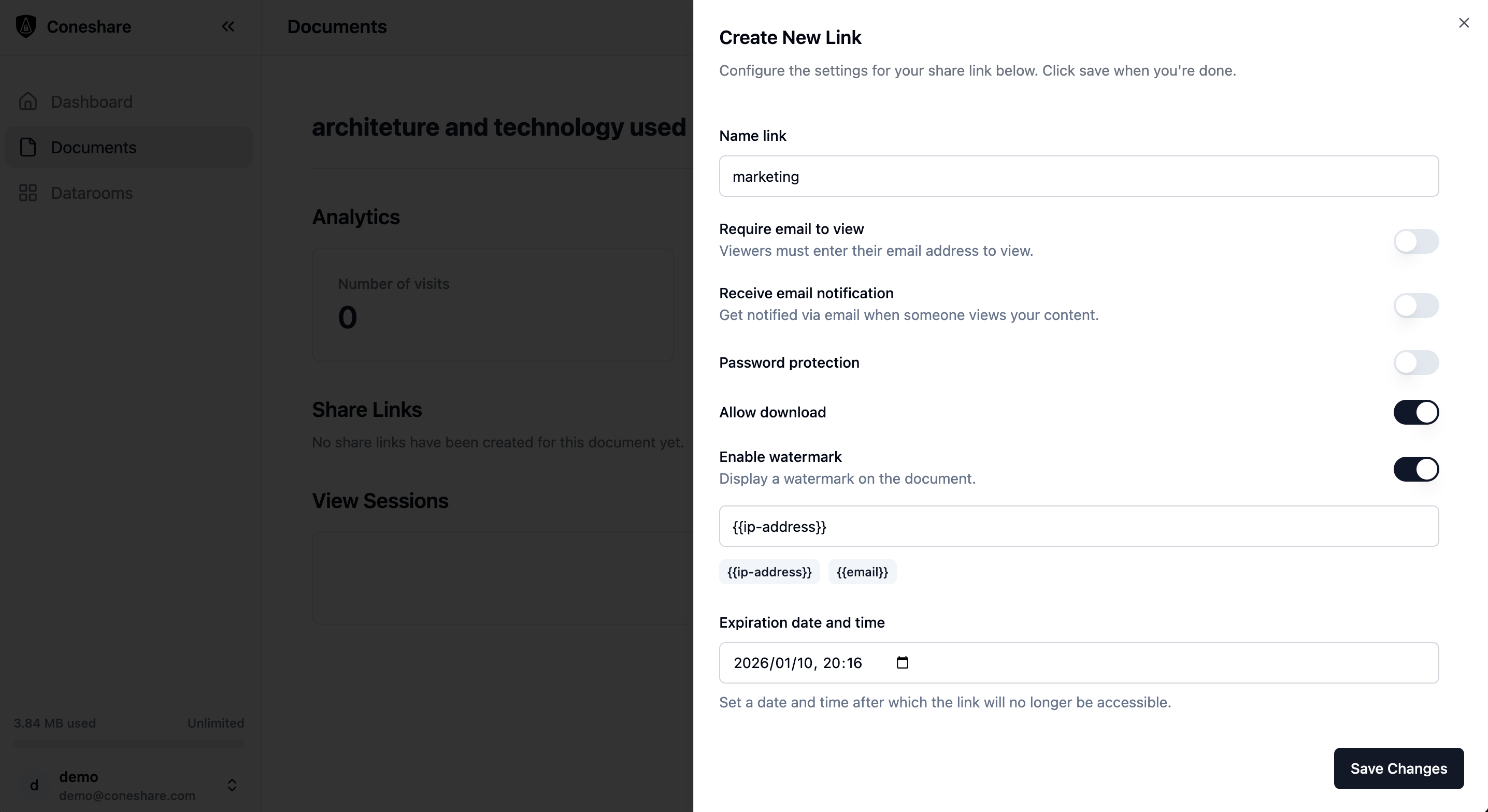
Apply distribution controls before sharing sensitive files externally.
- 4. Share securely
Generate controlled links for investors, buyers, legal counterparts, or clients.
- 5. Track engagement
Monitor views, revisits, timing, and page-level attention patterns.
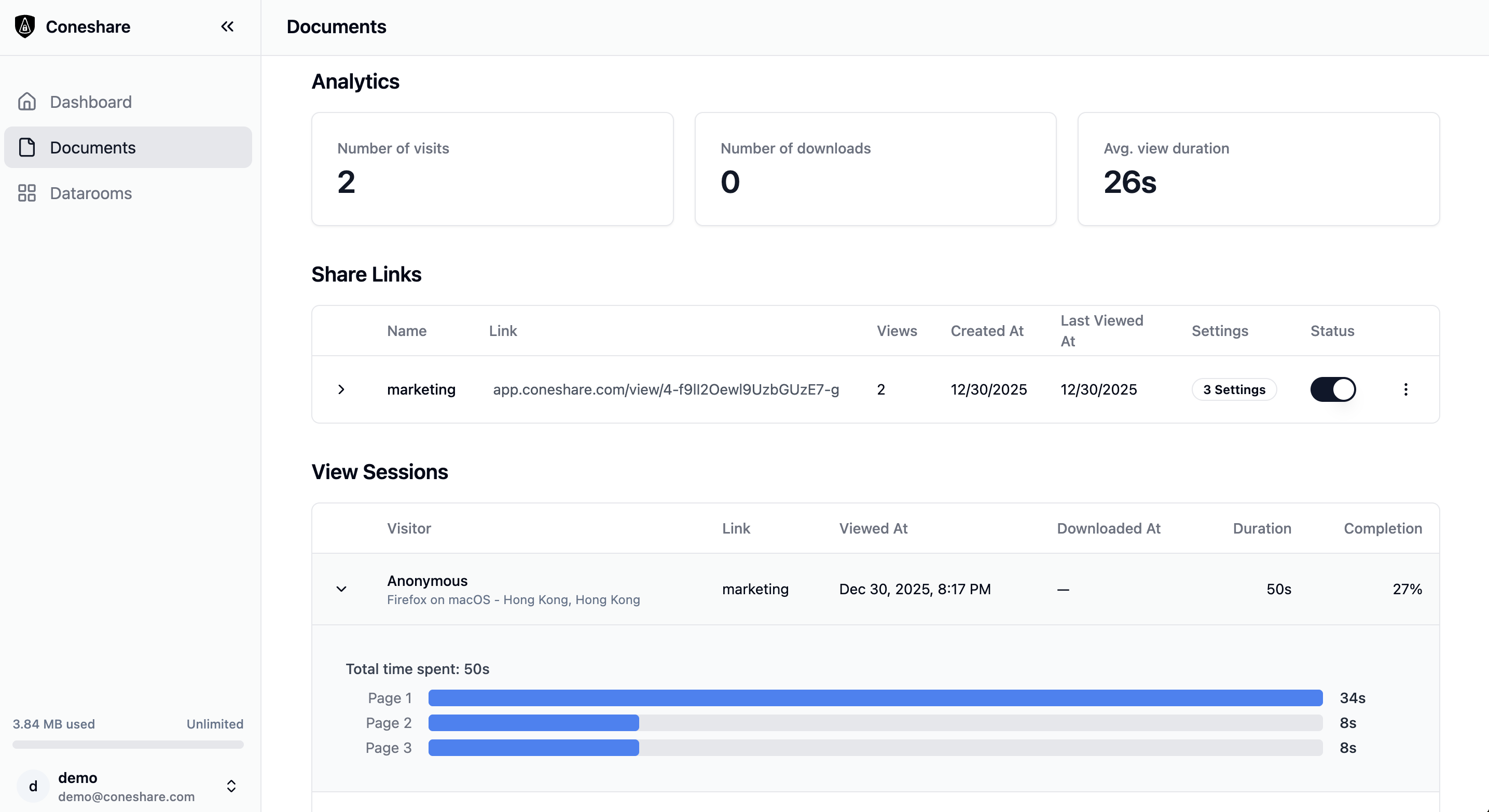
Use engagement visibility to prioritize follow-ups with better timing.
- 6. Act on insights
Trigger Slack/webhook workflows and follow up with better timing.
Nextcloud alone vs Nextcloud + Coneshare
| Capability | Nextcloud alone | Nextcloud + Coneshare |
|---|---|---|
| Storage and collaboration | Yes | Yes |
| Secure external distribution controls | Limited | Yes |
| Engagement visibility | Limited | Yes |
| Workflow automation | No | Yes |
Use cases
Secure external sharing
Share sensitive documents with stronger access controls and clearer visibility into external engagement behavior. See secure external sharing workflow.
Fundraising data room
Share investor materials securely and track revisit behavior to prioritize follow-up timing.
M&A and due diligence
Organize sensitive documents, apply controlled sharing, and monitor engagement signals.
Legal document exchange
Distribute confidential files with strict controls and visibility into access behavior.
Why teams choose Coneshare for Nextcloud VDR workflows
- Works with existing Nextcloud-based storage workflows
- Self-hosted architecture and infrastructure control
- Purpose-built for high-stakes sharing workflows
- Document intelligence layer beyond storage
Also evaluating DocSend alternatives? See Coneshare vs DocSend.
FAQ
Does Nextcloud have a built-in VDR?
Nextcloud can support core data room structure through folders and permissions, but many teams add a workflow layer for deeper sharing controls, engagement visibility, and operational follow-up.
How do I create a data room in Nextcloud?
Start by organizing documents and permissions in Nextcloud, then add controlled sharing and tracking workflows.
Is Nextcloud secure for VDR use?
Nextcloud is widely used for secure self-hosted storage. Advanced VDR workflows usually require additional sharing intelligence and automation.
How can I add document tracking to Nextcloud?
Add a control and intelligence layer like Coneshare to monitor views, revisits, and engagement behavior.
Turn Nextcloud into a complete virtual data room
Keep your Nextcloud workflow and add secure sharing, visibility, and workflow actions.