How to Send Large Documents Securely via Email (Self-Hosted, No Public File Uploads)
A practical self-hosted guide for sending large documents securely via email while keeping files and sharing telemetry inside infrastructure your organization controls.
Why Teams Choose Self-Hosted Link Sharing
Sending large or sensitive files via email is still surprisingly frustrating.
Attachments quickly hit size limits, forwarding is difficult to control, and security teams often have no clear visibility into who actually opened the document.
A self-hosted, link-based sharing solution solves these problems by keeping files within your organization’s infrastructure while adding strong access controls and clear engagement insights.
Step-by-Step: Securely Share Large Documents via Email
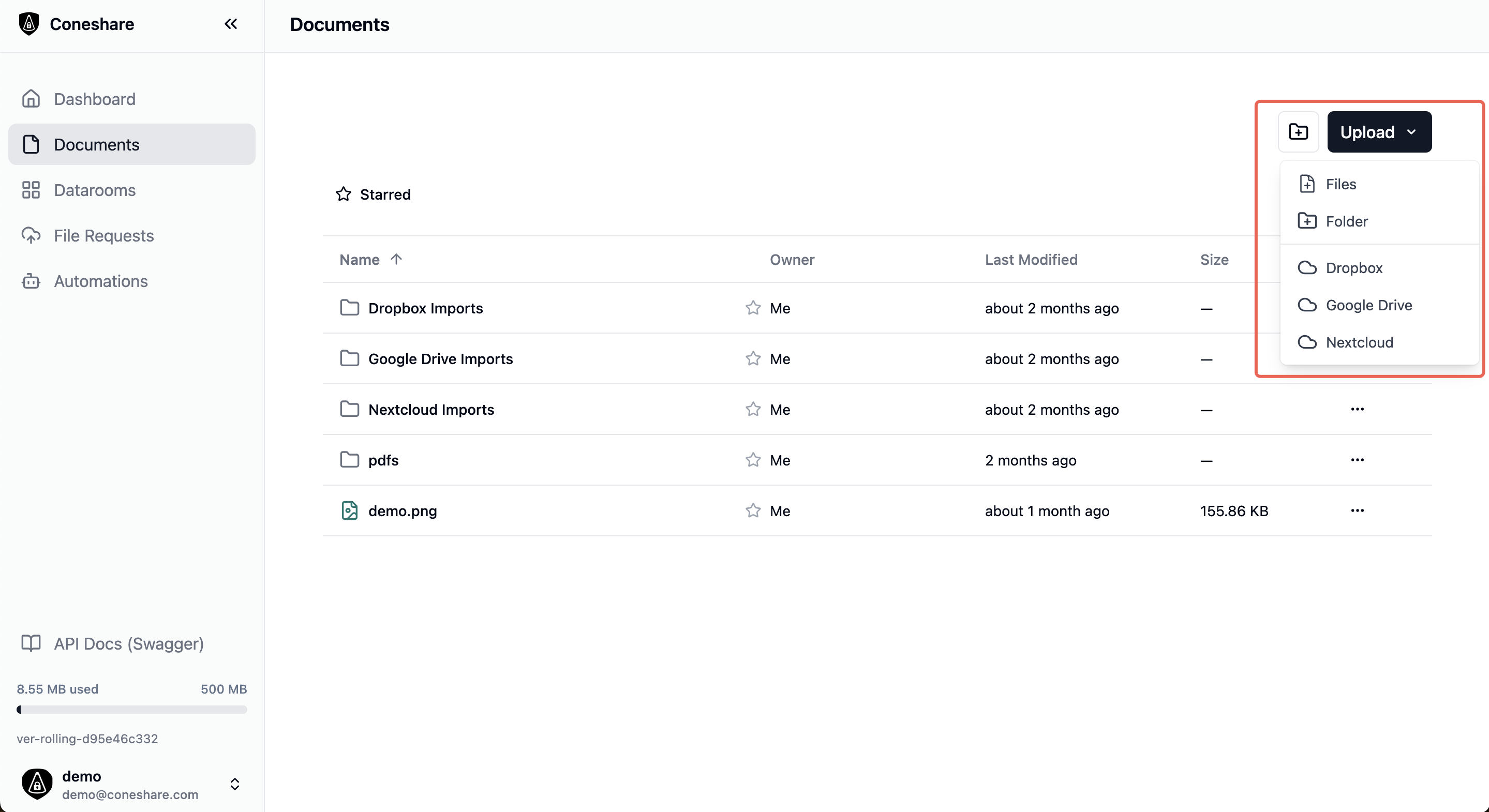
1) Import or Upload the Document
Add the file to your workspace through existing storage integrations or by uploading it directly.
2) Create a Secure Share Link
Generate a link for a single document or an entire structured dataroom.
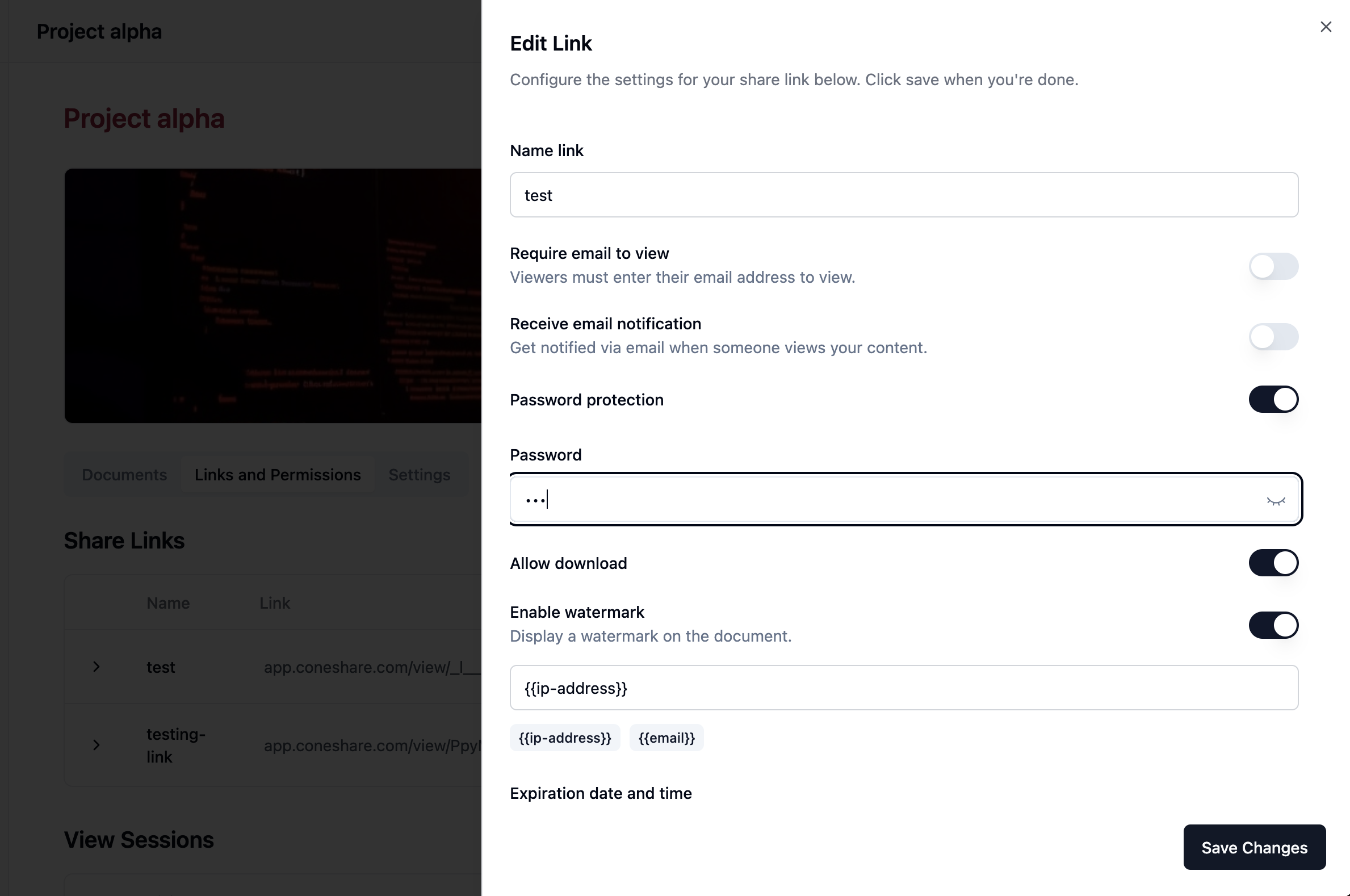
3) Set Access Controls Before Sending
Tailor security settings based on the document’s sensitivity:
- Password protection
- Expiration date
- Email verification
- Download restrictions
- Watermarking
4) Send the Link via Email (Not the File)
Write your email as usual and simply include the secure link along with clear instructions for the recipient.
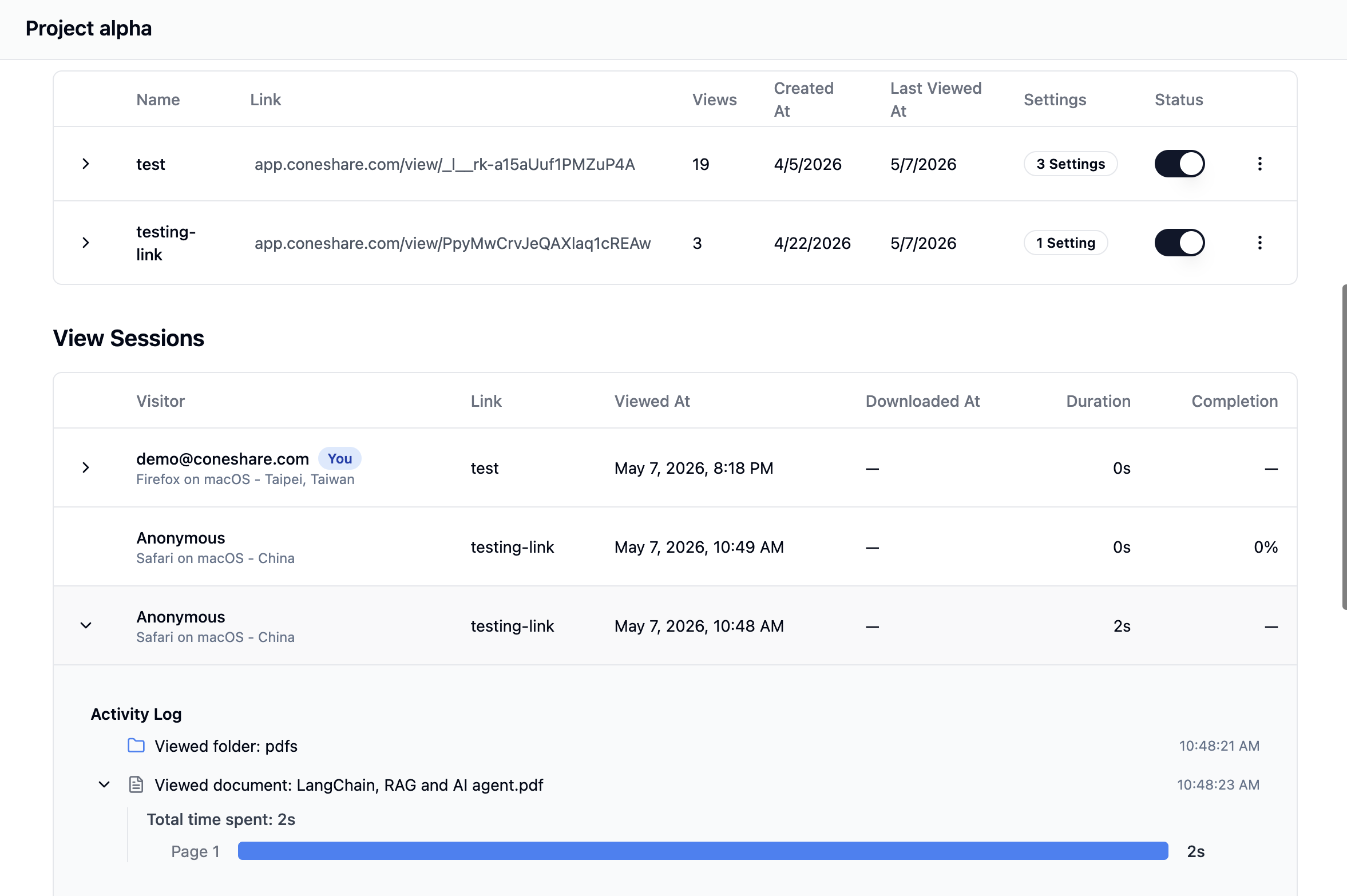
5) Monitor Access and Engagement
Track key activity such as:
- Views
- Revisits
- Downloads
- Page-level engagement signals
6) Trigger Follow-Up Workflows
Automatically route access activity to Slack or other tools via webhooks, enabling faster and more timely internal follow-up.
Why Link-Based Sharing Outperforms Attachments
For fundraising updates, legal review packets, customer proposals, and compliance documents, link-based sharing consistently works better than traditional attachments:
- No more mailbox size limitations
- Simple access revocation and expiration control
- Centralized security policies for each shared asset
- Full audit trail through detailed access logs
- Cleaner version control (one authoritative document instead of multiple forwarded copies)
Self-Hosted Model: Add Secure Sharing on Top of Your Existing Storage
Instead of attaching large files, you can:
- Keep files in the storage you already trust (Nextcloud, Google Drive, Dropbox, on-prem systems, etc.).
- Generate a controlled share link through Coneshare.
- Apply the necessary security policies.
- Send the lightweight link via email.
- Track engagement and act on the signals.
This approach delivers a smooth experience for recipients while maintaining full operational control within your organization.
Risk-to-Control Mapping
Use this simple framework before sharing sensitive content:
-
Risk: Link gets forwarded to unintended people
Control: Enable email verification + password protection. -
Risk: Access remains open indefinitely
Control: Set a strict expiration date. -
Risk: Sensitive content is redistributed
Control: Disable downloads and apply watermarking. -
Risk: No clear timing for follow-up
Control: Monitor revisits and downloads, then trigger automated alerts.
Operational Checklist for Security & IT Teams
Before rolling out, make sure to define:
- Where files are stored and backed up
- Who is allowed to create external links
- Mandatory default policies (password, expiration, verification)
- Retention rules for sharing telemetry
- Incident response process for revoked or compromised links
Tradeoffs and Considerations
A self-hosted model significantly improves control, but teams should carefully evaluate:
- Deployment and ongoing maintenance responsibilities
- Internal ownership of access governance
- Requirements for stricter enterprise-grade policies
When Link Sharing Alone May Not Be Enough
For highly regulated or extremely sensitive exchanges, use link-based sharing as part of a broader security process that may also include legal agreements, stricter identity verification, and additional audit requirements.
Why This Works Well with Nextcloud and Other Storage Systems
Coneshare is built as a control and intelligence layer, not a replacement for your storage.
It allows teams to continue using their existing storage architecture while adding secure external sharing, rich engagement visibility, and automated workflows for investors, legal teams, buyers, and clients.
FAQ
Is this better than sending email attachments?
Yes — especially for large or sensitive files. Link-based sharing is far easier to control, revoke, and audit than static attachments.
Do recipients need a Coneshare account?
No. Recipients can access the shared links directly under the controls you set.
Can this support dataroom workflows?
Absolutely. You can share individual files or full structured datarooms with granular, per-link controls.
Do we need to move files to public SaaS storage?
No. The self-hosted model is specifically designed to keep all files within your own infrastructure.
Next Steps
- Try the full workflow in the Live Demo
- Explore storage integration options, including Nextcloud
- Share your security requirements or feedback in the Coneshare Forum