Secure, Self-Hosted Virtual Dataroom (VDR)
Overlay controlled sharing, viewer analytics, and follow-up workflows on top of your existing cloud or on-premise storage. Keep your data under your complete sovereignty.
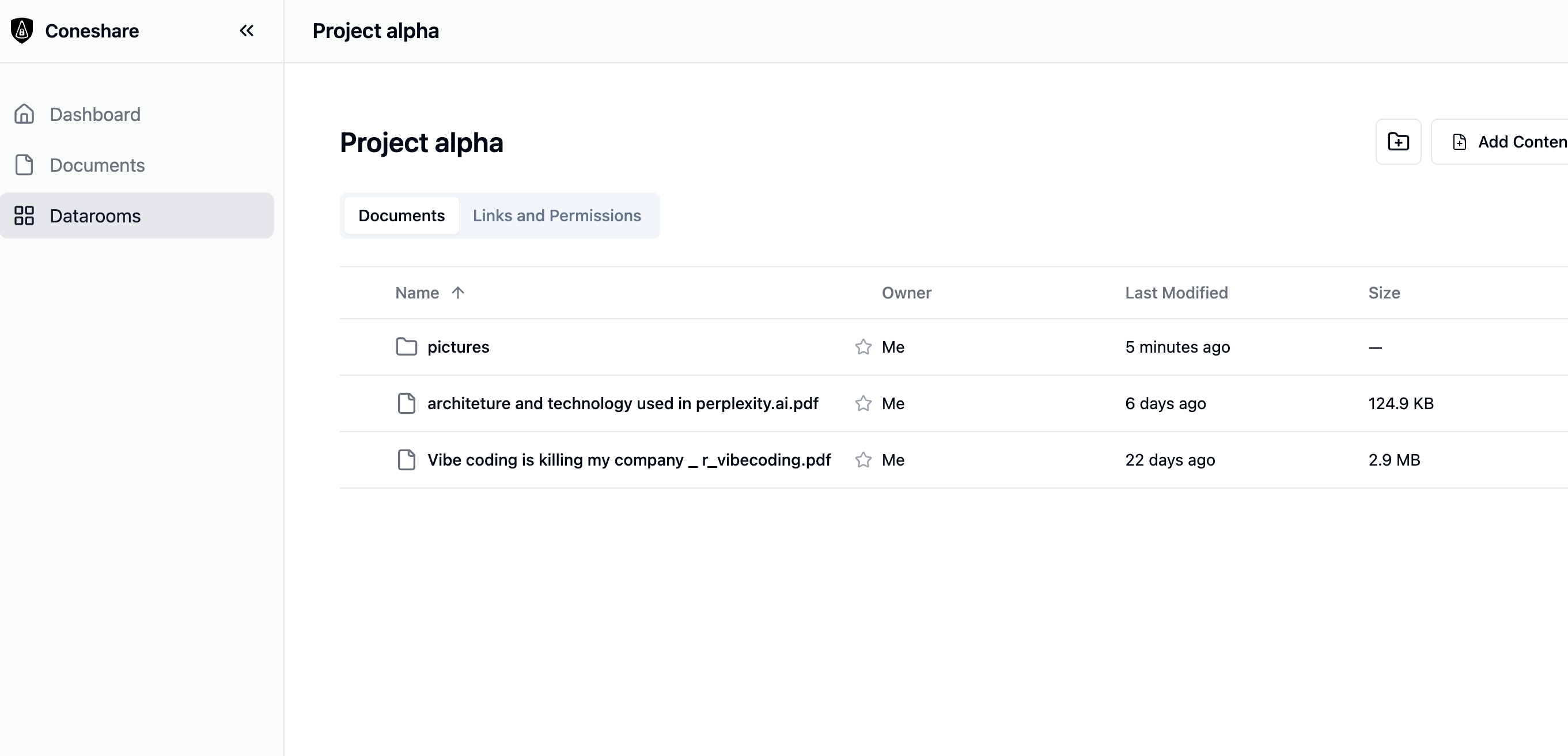
Organize files and folders in custom datarooms
Works seamlessly on top of your existing storage
What is a Virtual Dataroom (VDR)?
A Virtual Dataroom (VDR) is a secure, controlled digital vault designed for distributing highly sensitive files (e.g. corporate financials, board materials, intellectual property, M&A due diligence) to external counterparts.
Unlike standard storage links, a VDR adds advanced access controls, page-level tracking metrics, dynamic watermarking, and workflow automations, ensuring that you retain complete oversight after a document is shared.
Why Choose Coneshare?
Data Sovereignty First
Files are hosted on your own self-hosted infrastructure. Coneshare never locks you into a proprietary cloud vault.
Free Open-Source Core
Our open-source version is completely free with no user limits. Scale to Enterprise (charged per user) only when you need advanced governance like SSO, LDAP, departments, or file search.
One-click cloud syncing
Connect Nextcloud or Google Drive to import files. Sync updates instantly with a single click whenever cloud files change.
Controlled document delivery in 4 simple steps
Coneshare integrates into your workflow, adding a secure sharing and monitoring layer that syncs on-demand.
Connect & Organize Custom Folders
Connect your trusted storage provider in seconds. Import files into Coneshare and organize them into custom datarooms. When files are updated in your cloud storage, sync them instantly to Coneshare with a single click.
Enforce Secure Sharing & Watermarking
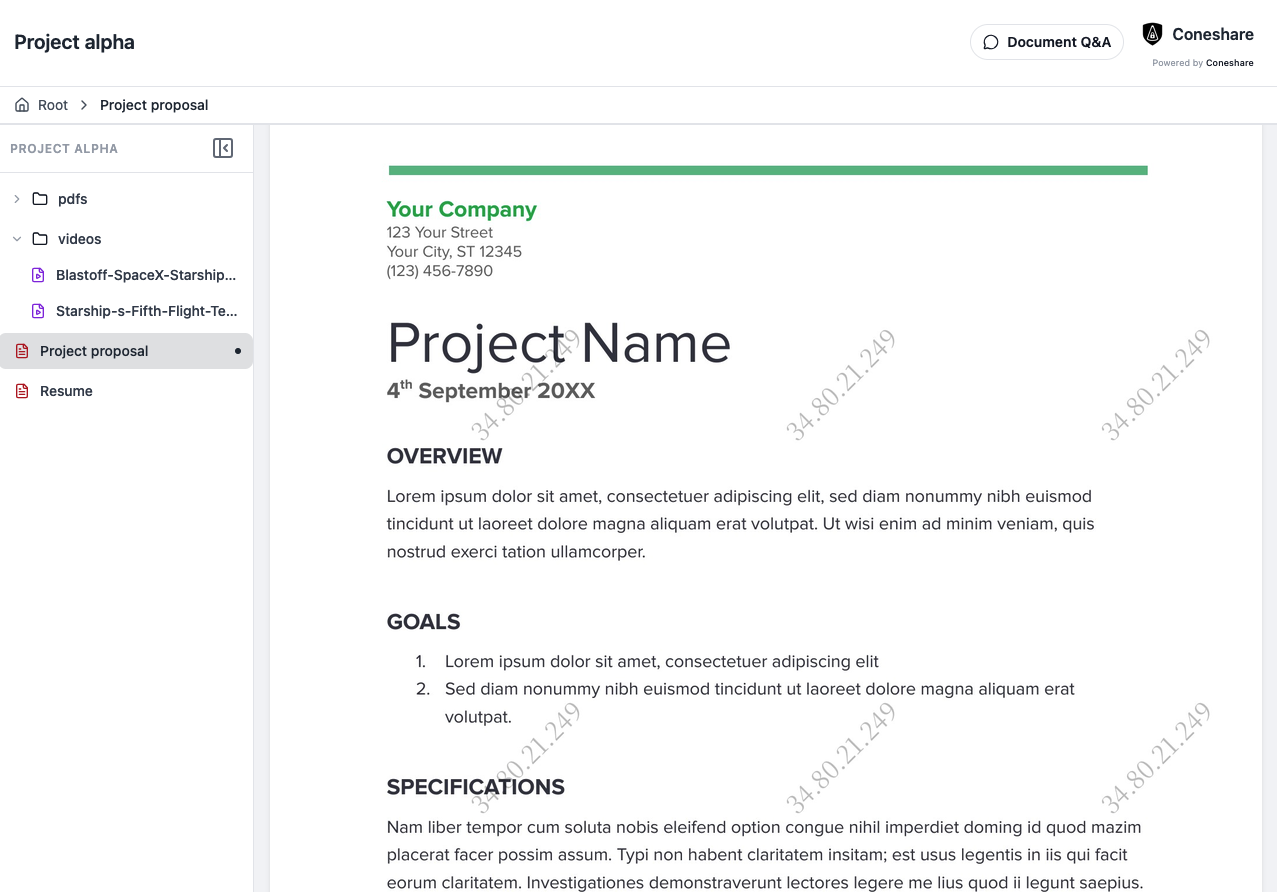
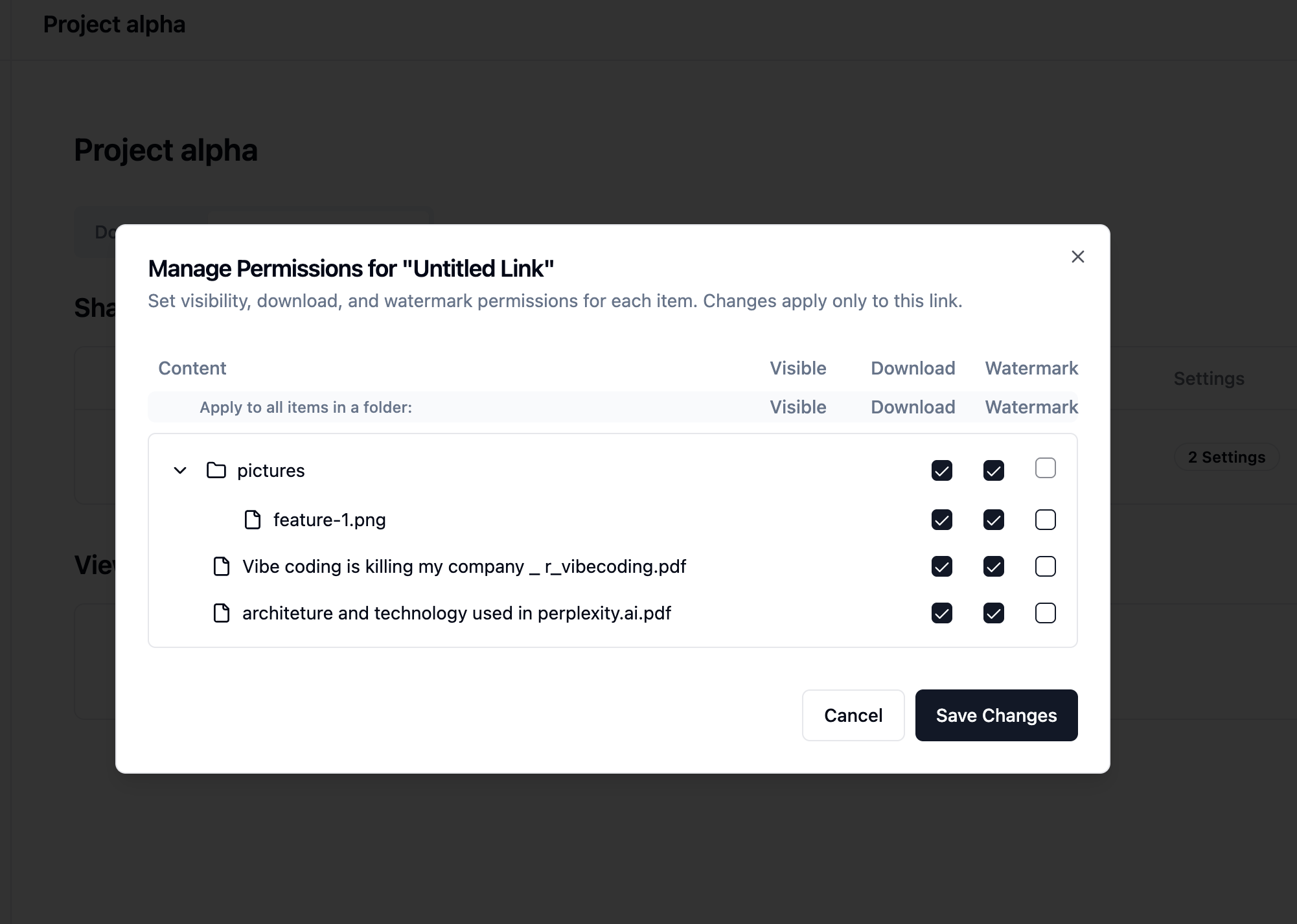
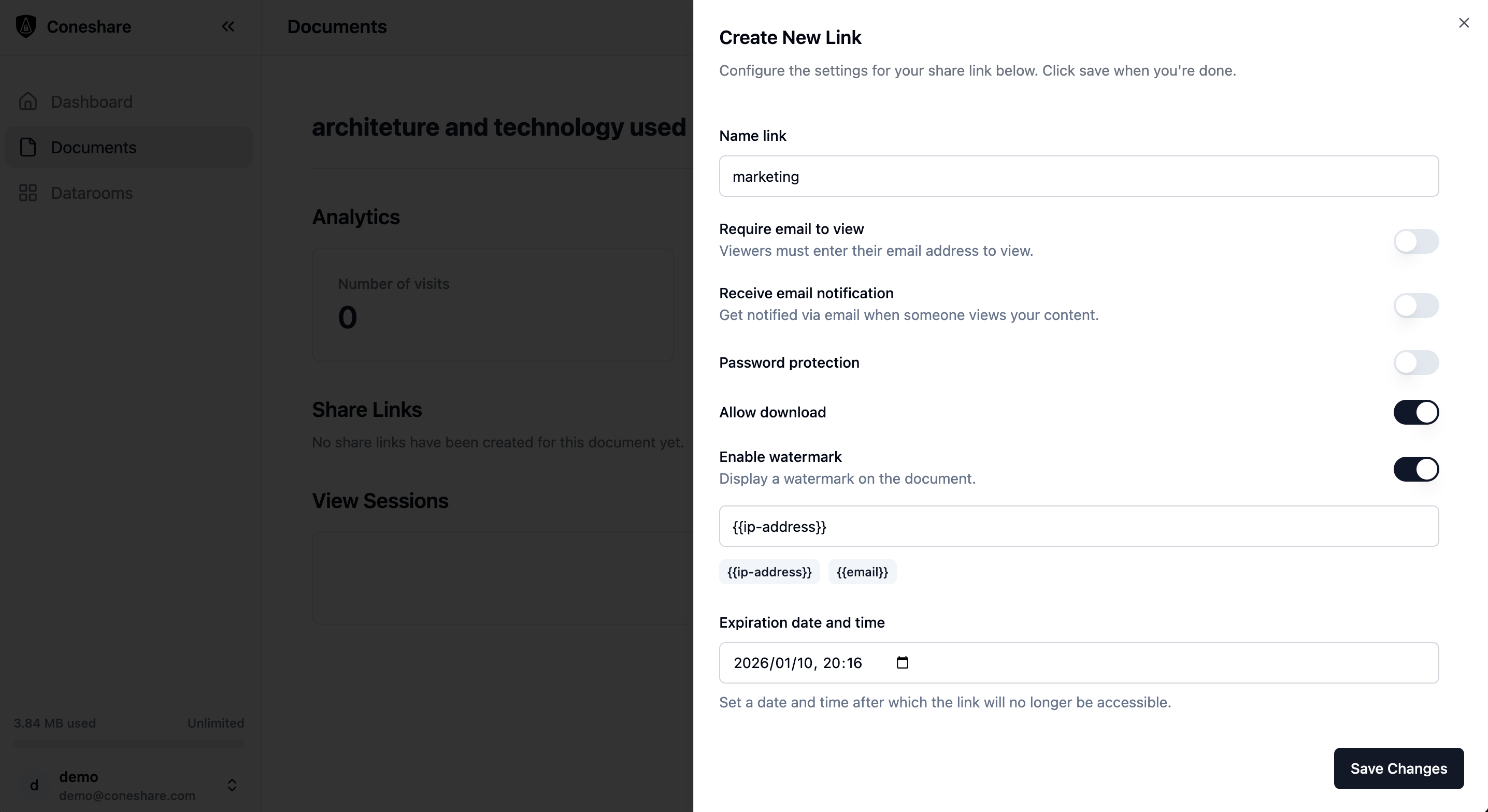
Set custom passwords, expiration limits, email verification checkpoints, and download restrictions. Enable dynamic watermarks that automatically embed the recipient's verified email address onto previews and downloads.
Analyze Page-by-Page Engagement
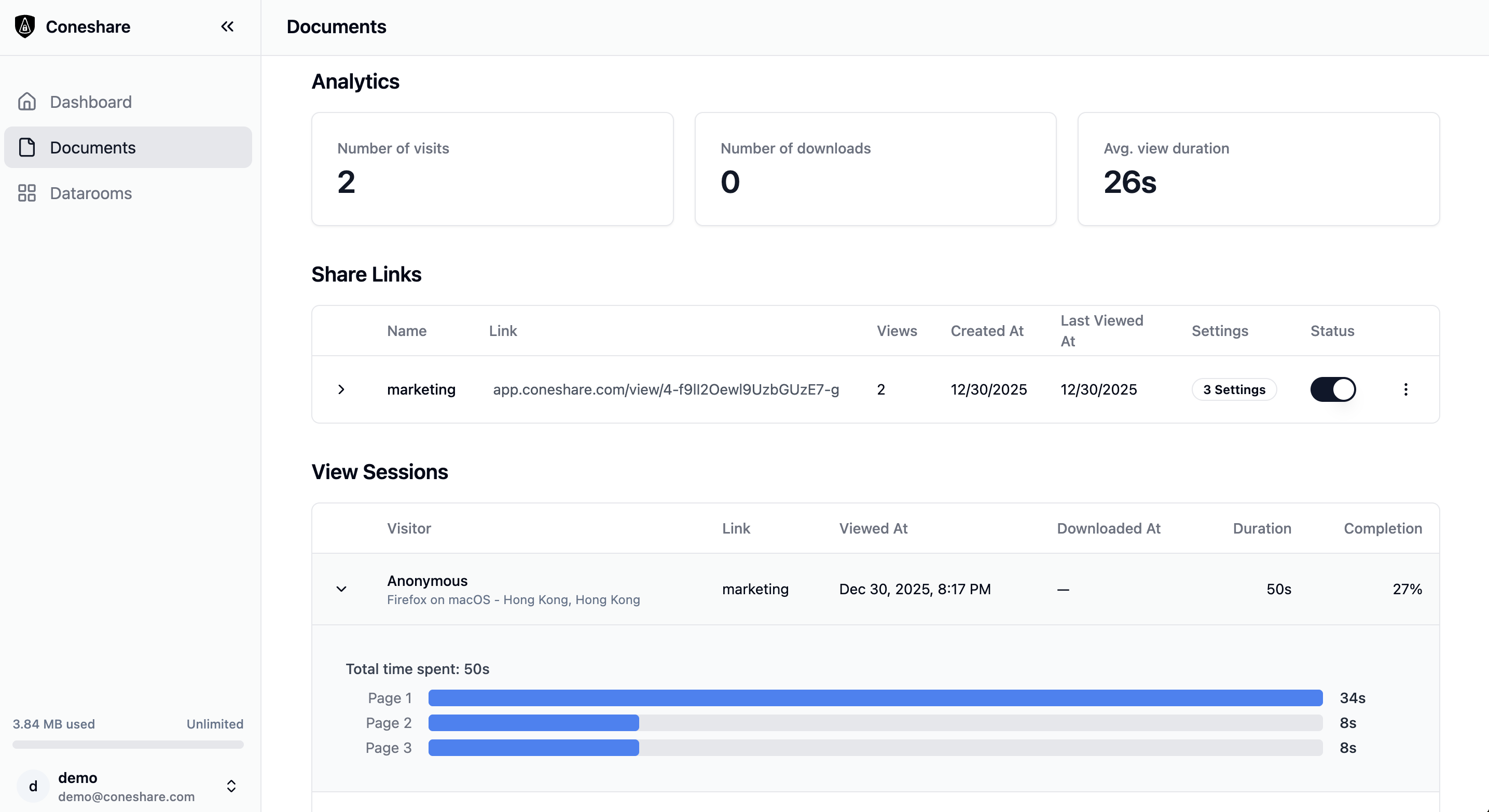
Stop guessing if your pitch deck or deal files were read. Monitor views, revisits, downloads, page-level viewing times, and video playback segments (including muted/unmuted states and playback speeds) in real time.
Trigger Real-time Downstream Workflows
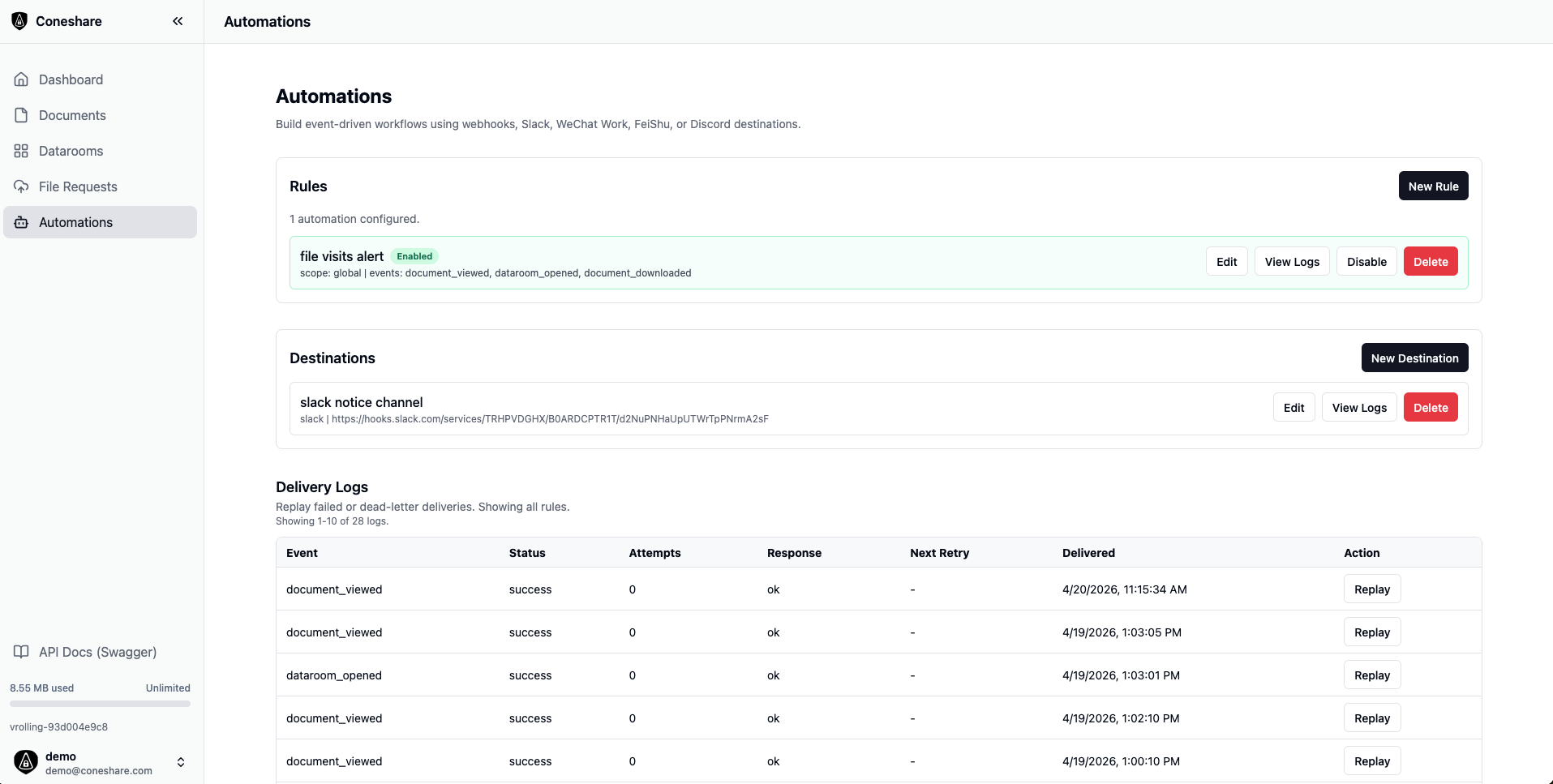
Link document activity to action workflows. Instantly send Slack notifications or route JSON webhook payloads to your internal CRM when an investor enters a dataroom or a client downloads a contract.
Built for high-stakes external collaboration
In addition to basic links, Coneshare provides professional virtual dataroom capabilities for teams.
Custom Brand Identity
Personalize datarooms with unique company banners, logos, and custom primary/secondary color schemes.
Diligence Q&A Threads
Facilitate secure discussions between dataroom owners and external viewers directly on shared documents.
Virtual Folder Trees
Reorder sibling items manually and build custom hierarchies scoped exclusively to specific share links.
Coneshare vs SaaS Alternatives
Compare the security of self-hosted, storage-agnostic infrastructure against public cloud-hosted VDR providers.
| Feature | Coneshare (Self-Hosted) | DocSend / Public SaaS VDR |
|---|---|---|
| Data Sovereignty | Total control (Files remain on your infrastructure) | No (Files are copied to third-party databases) |
| Storage Integration | Public cloud (Dropbox, Google Drive) & private/self-hosted storage (Nextcloud, Internal Storage) | Public cloud only (Google Drive, Dropbox). No support for private/self-hosted storage (Nextcloud) |
| Granular VDR Access | Yes (Per-item visibility & download limits) | Yes |
| Behavioral Telemetry | Yes (Page tracking, video HLS play logs) | Yes |
| Auditability | All audit logs are stored in your own infrastructure and can be consumed directly by internal systems (e.g. SIEM) | Limited to SaaS dashboard views and CSV exports; logs cannot be directly ingested into internal systems |
| Pricing Model | Free Open Source Core (no user limit); Paid Enterprise plan (charged by users) for advanced features (SSO/LDAP) | Per-user seats + scaling costs from Day 1 (highly expensive) |
Frequently Asked Questions
How does Coneshare secure files compared to public SaaS datarooms?
Public SaaS platforms copy and store your sensitive corporate files on third-party servers outside your security perimeter. Coneshare connects directly to your storage (Nextcloud, Google Drive, Dropbox, local storage) to import files into your own self-hosted infrastructure. Previews and watermarked downloads are generated locally, ensuring your files never leave your infrastructure boundary.
Does it support dynamic PDF watermarking?
Yes. If watermarking is enabled for a share link or a specific document, Coneshare renders PDF pages with a dynamic watermark overlay displaying the viewer's verified email address, preventing leaks and unauthorized distribution.
How does the VDR Q&A collaboration work?
Coneshare allows VDR owners to enable a secure Q&A tab on shared links. Viewers can submit questions directly on files, and owners can review, assign, and answer them within Coneshare's dashboard, eliminating scattered email threads.
Is it easy to self-host Coneshare?
Absolutely. Coneshare is designed with self-hosting in mind. You can deploy it on your own server or private cloud using Docker Compose in just a few minutes, giving you full ownership over your database logs, metadata, and visitor analytics.
Turn your storage into a virtual data room
Combine professional security, watermarking, and visitor tracking with complete self-hosted control.