
Coneshare V1.7: Cloud Exports, Legal NDA Gates, Link Analytics & Smart Automations
Coneshare V1.7 introduces direct file request cloud exports, one-click cloud version sync, legal NDA gates, hyperlink click tracking, debounced email alerts, and per-user storage quotas.
Streamlining Cloud Workflows, Compliance, and Engagement Tracking
Coneshare V1.7 expands workflow automation and security across your shared files and virtual datarooms. From exporting file requests directly to cloud storage to locking down sensitive shares behind custom NDA gates, this release focuses on efficiency, legal compliance, and deeper engagement intelligence.
Major Features in V1.7
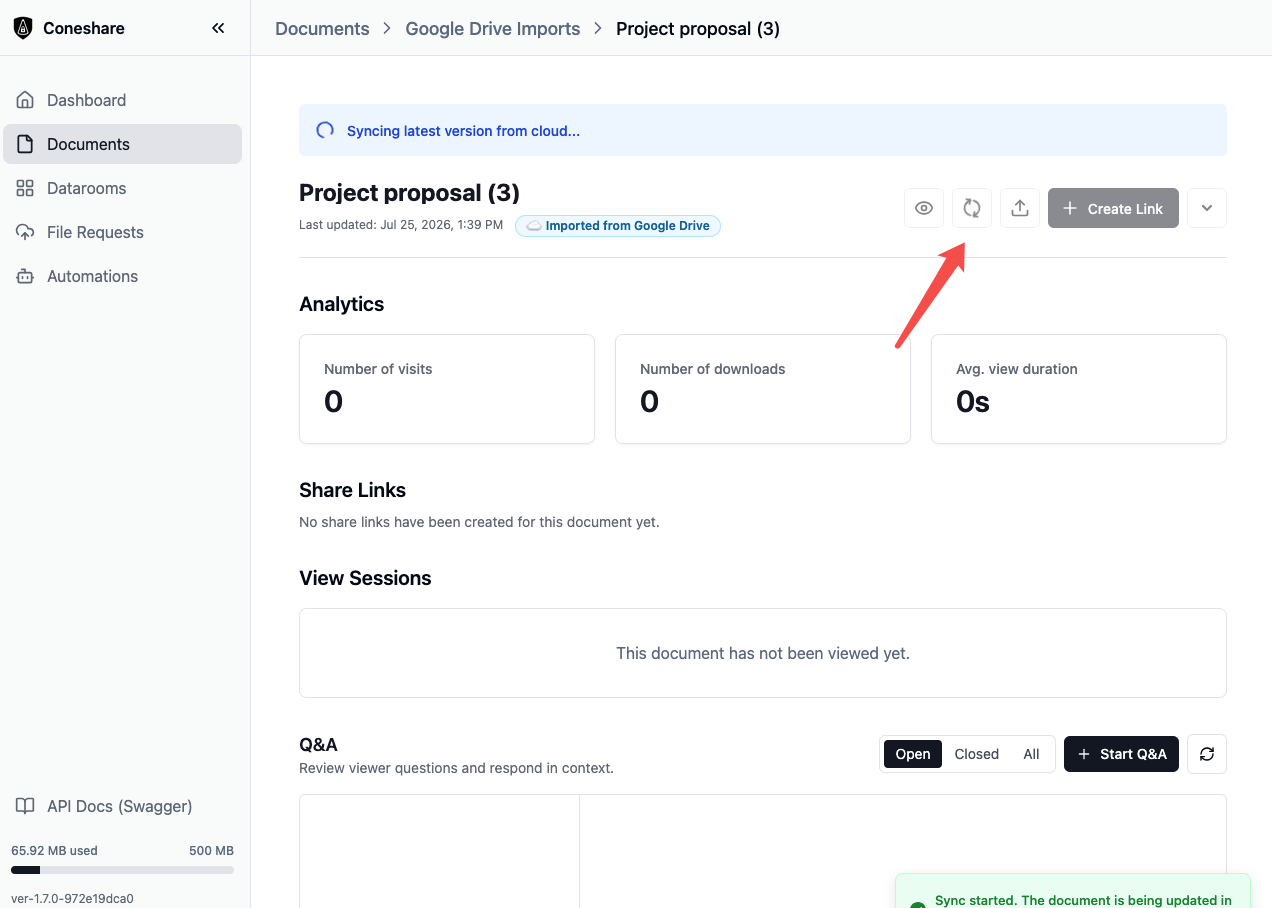
1) One-Click Cloud Version Sync
- The Capability: Documents imported from cloud storage providers can be updated to the latest revision with a single click.
- The Business Impact: When a document changes in your cloud drive, clicking "Refresh Version" instantly pulls the latest update into Coneshare without creating duplicate files or breaking existing share links. Built-in safeguards ensure active links stay stable and file history remains safe, even if a sync encounters network errors.
2) Direct File Request Export to Cloud Storage
- The Capability: Collect documents from clients or external vendors via public File Request links and export submitted uploads directly into your team's connected cloud storage (Dropbox, Google Drive, or Nextcloud).
- The Business Impact: Eliminates manual downloading and re-uploading. Submissions export seamlessly in the background, handling multi-gigabyte client files effortlessly.
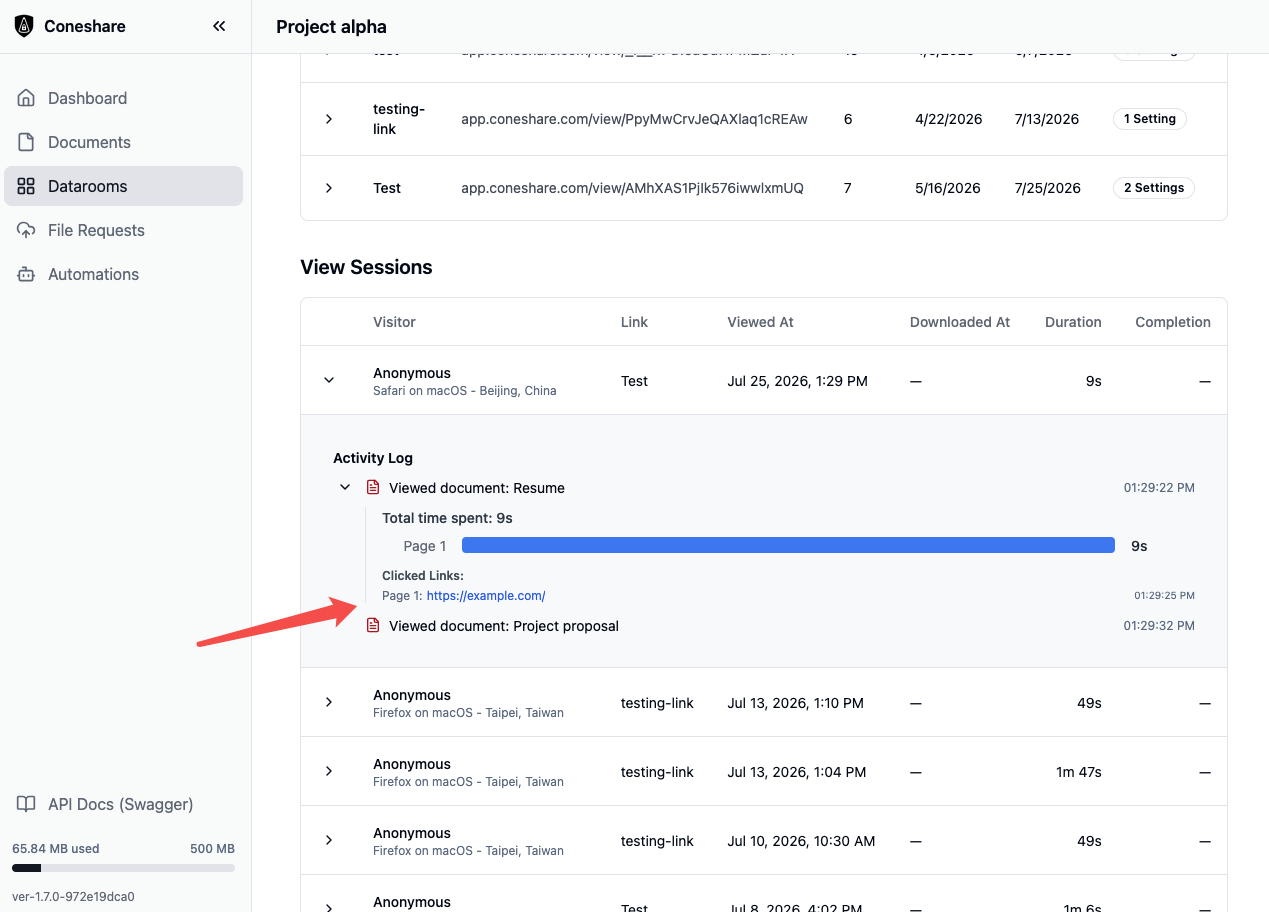
3) Clickable Hyperlink Tracking & Engagement Analytics
- The Capability: Track hyperlinks and external URLs clicked by viewers inside shared PDFs and datarooms.
- The Business Impact: Sales representatives and deal teams gain clear visibility into viewer interest—seeing exactly which links (e.g. pricing, demo videos, schedule links) were clicked and from which page. Click analytics capture in real time without slowing down or interrupting the reader's experience.
4) Share Link NDA Protection Gates
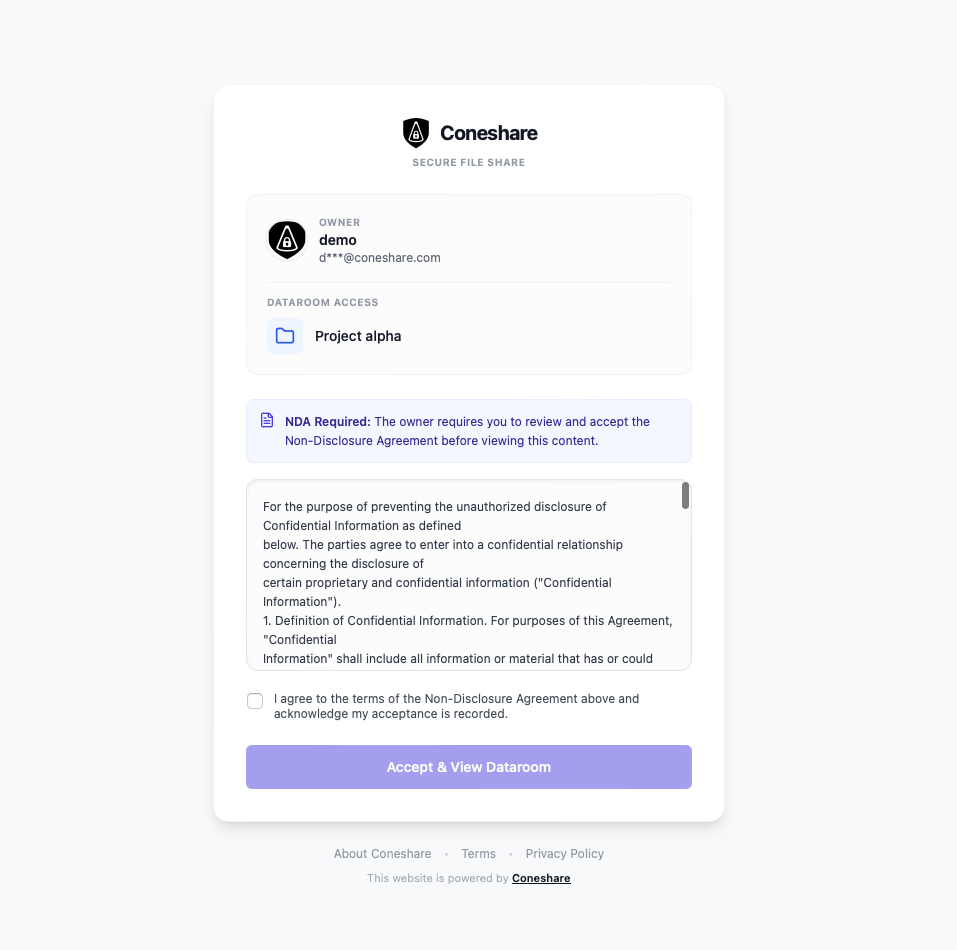
- The Capability: Require viewers to review and accept a custom Non-Disclosure Agreement (NDA) before viewing or downloading shared files.
- The Business Impact: Ensures legal compliance for sensitive due diligence, fundraising, or M&A datarooms. Unaccepted viewers are blocked from viewing or downloading, while accepted agreements generate audit-ready compliance logs.
5) Smart Debounced Email Notification Coalescing
- The Capability: Automatically aggregates multiple viewing events and link clicks into a single summary email after a viewing session ends.
- The Business Impact: Eliminates notification spam. Instead of receiving dozens of separate emails as a client flips through document pages, document owners receive one clean summary email detailing view duration, pages read, engagement scores, and links clicked.
Additional Enhancements & UX Improvements
Custom Storage Quota Limits & Admin Dashboard
Administrators can now configure custom, per-user storage quota limits in addition to global defaults. The Admin Users page features a new storage quota usage column displaying real-time space utilization across all accounts.
Drag-and-Drop Uploads & File Tree Navigation
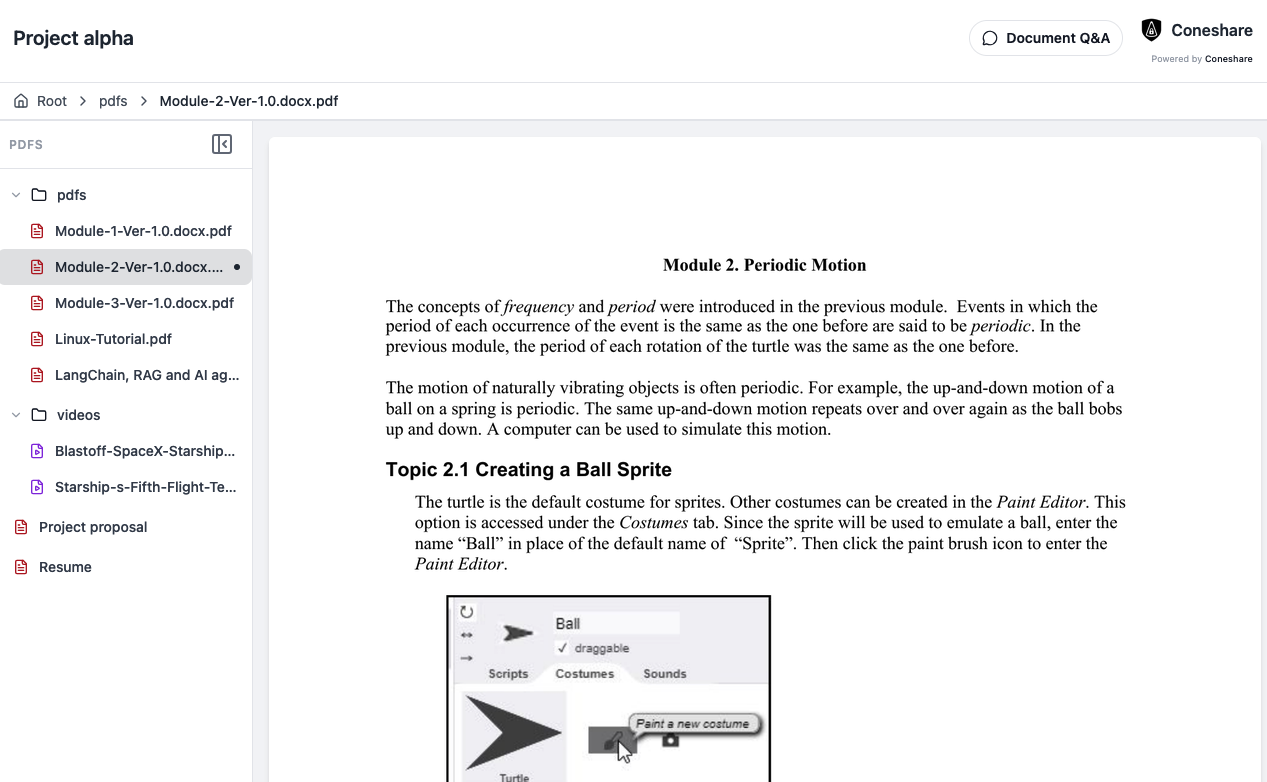
Both the main Documents list and Dataroom workspaces now support recursive drag-and-drop file and folder uploads, preserving directory structures automatically. Additionally, the dataroom viewer sidebar has been upgraded to an expandable file tree navigation for seamless document browsing across complex folder hierarchies.
Next Steps
- Upgrade to V1.7.0: Follow the standard upgrade process to pull the latest V1.7 release.
- Connect Cloud Providers: Navigate to Settings > Integrations to link your organization's Dropbox, Google Drive, or Nextcloud accounts.
- Enable NDA Protection: Create or edit a Share Link, enable the Require NDA toggle, and input your custom legal terms.
- Explore Analytics: Open any document's View Sessions tab to inspect detailed viewer engagement timelines and hyperlink click logs.