Coneshare V1.8: Remote MCP Server, Developer API Keys, Multi-Language UI & Trash Recovery
Coneshare V1.8 adds an official Remote MCP Server for AI coding assistants, developer API keys with permission tiers, multi-language support (English, Chinese, Russian), and a Trash bin for document recovery.
Connecting AI Assistants, Adding Languages, and Protecting Workspace Files
Coneshare V1.8 connects your self-hosted datarooms and secure file workflows to AI development tools and international teams.
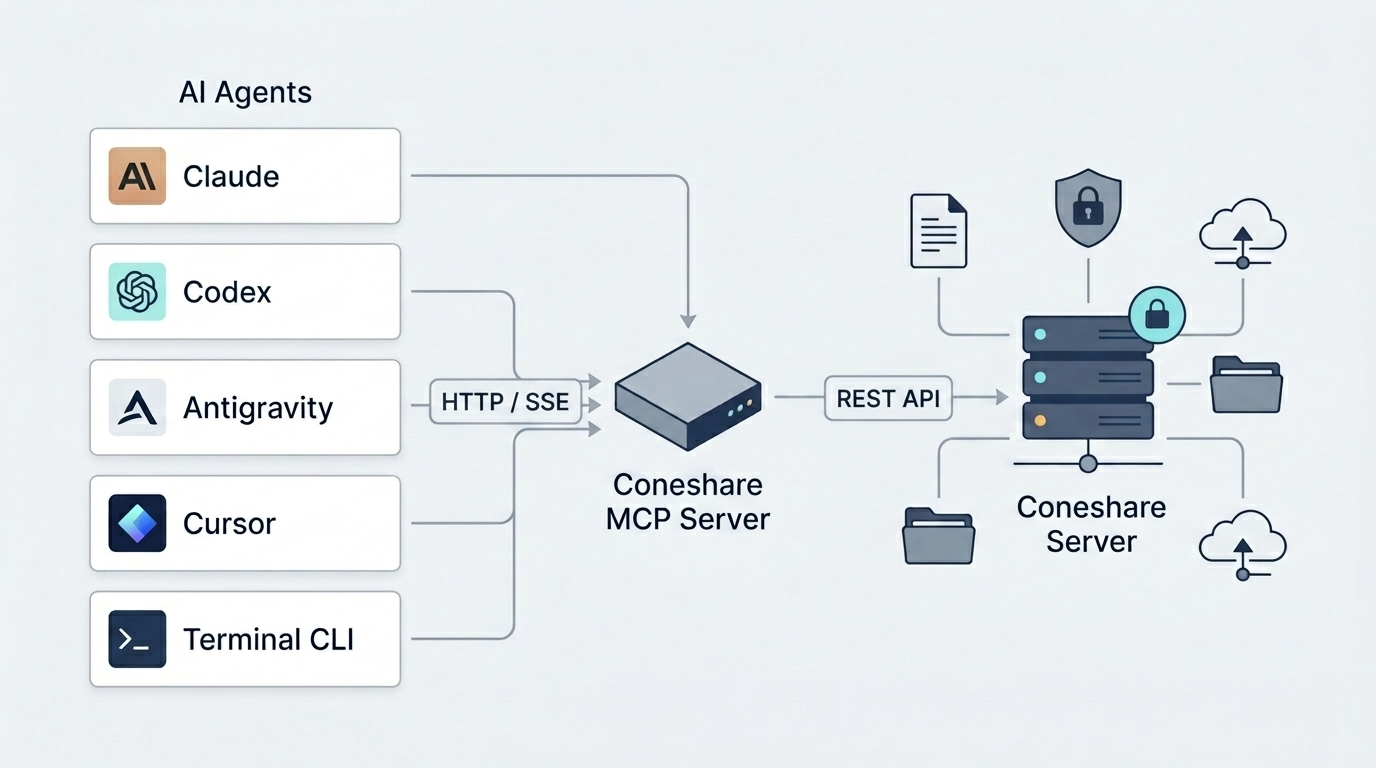
With the new Remote MCP Server and developer API keys, AI assistants such as Claude Desktop, Claude Code CLI, the Antigravity CLI (agy), and Codex can read and manage your workspace over secure network streams. This release also adds native multi-language support across the app and emails, along with a dedicated Trash bin to recover deleted files.
Major Features in V1.8
1) Remote MCP Server (coneshare-mcp)
- The Change: We added a standalone Remote MCP Server running over streamable HTTP/SSE transport (
/mcp/sse). - The Result: AI tools can interact directly with your Coneshare instance without local binary installs. Using 27 built-in MCP tools, assistants can create and organize datarooms, manage folders, generate access-controlled share links, upload files via pre-signed URLs, and inspect viewer analytics.
2) Developer API Keys with Permission Tiers
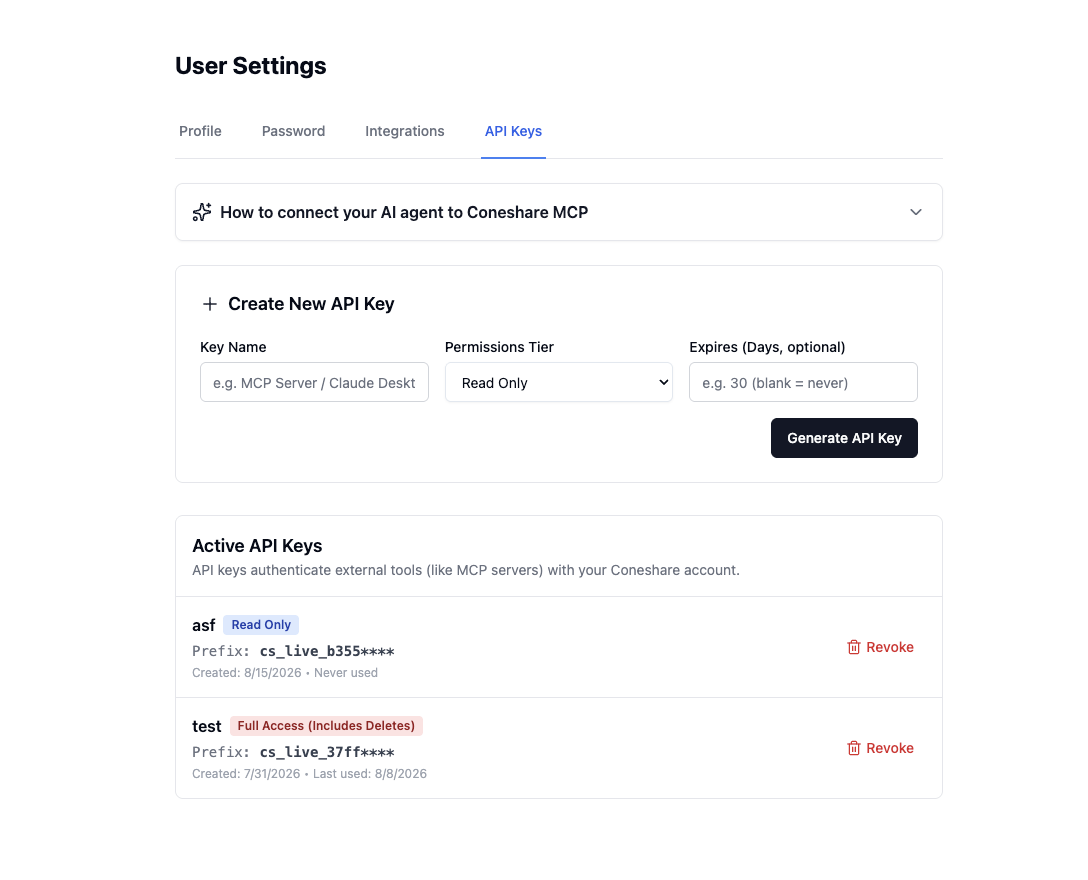
- The Change: You can now generate API keys (
cs_live_...) with three scope tiers in User Settings:read_only,read_write, andfull_access. - The Result: External scripts and AI assistants operate strictly within the permissions you assign. Keys are hashed with HMAC-SHA256 and never stored in plain text. The API Keys settings page shows the secret once upon creation and includes copy-paste setup configs for common AI clients.
3) Multi-Language Support (i18n)
- The Change: The web interface, system error messages, and email notifications now support multiple languages.
- The Result: You can switch between English (
en), Simplified Chinese (zh-hans), and Russian (ru), with more languages coming soon. Logged-in users can set their preferred language in Profile Settings, while external visitors can switch languages directly from the public viewer header or login page. Automated emails use each recipient's chosen language.
4) Trash Bin and Accidental Deletion Recovery
- The Change: Deleted documents and folders now move to a workspace Trash bin instead of being removed immediately.
- The Result: Team members can review deleted items, check deletion dates, restore files back to their original folder paths, or purge them permanently.
Additional Improvements
Saved Document Table Sorting
The document list now remembers your sorting preferences (name, date, size, or views) across browser reloads.
Dataroom and File Management Polish
- Folder Move Dialog: Improved navigation paths to prevent layout overflow in nested folders.
- Rename Validation: Added duplicate name checks when renaming files.
Next Steps
- Upgrade to V1.8.0: Follow the standard upgrade process to pull the latest images.
- Configure Remote MCP Server: If you plan to enable AI assistants for your team, see the Remote MCP Server configuration manual for Nginx reverse proxy and environment setup.
- Connect Your AI Assistant: Go to Settings > API Keys to create a key and copy the configuration for Claude, Codex, or Antigravity.