
Coneshare V1.10: Interactive Spreadsheets, Text Selection, HEIC Preview & French Support
Coneshare V1.10 introduces interactive multi-sheet spreadsheet previews, selectable text layers on server-rendered documents, HEIC image support, and full French localization.
Interactive spreadsheets, selectable text layers, and richer format support
Coneshare V1.10 expands our document viewing engine. Readers can now navigate complex multi-sheet spreadsheets directly in their browser without downloading raw files or exposing underlying data.
This release also brings selectable text layers to server-rendered documents, native HEIC image preview with dynamic watermarking, full French language localization, and CPU-capped video stream transcoding.
Major features in V1.10
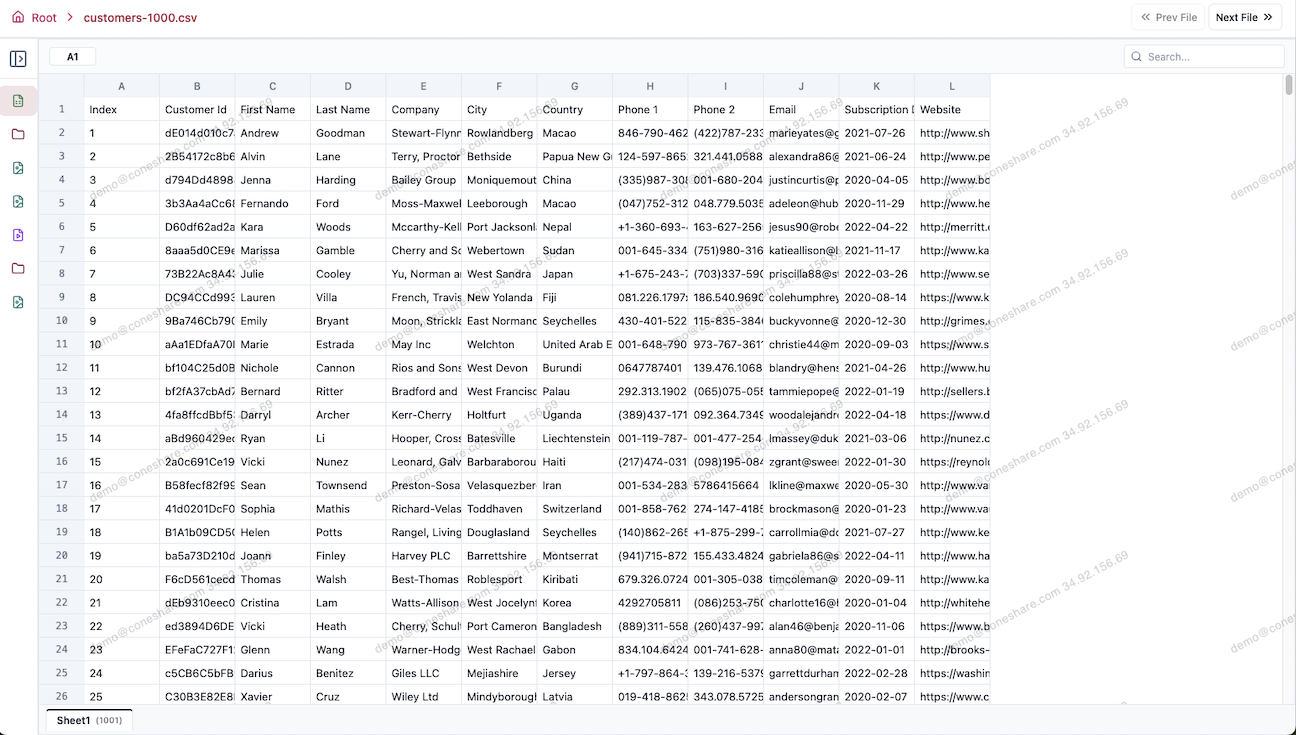
1) Interactive Multi-Sheet Spreadsheet Preview
Reviewing financial models, cap tables, and balance sheets no longer requires downloading the source file. Coneshare now includes an in-browser 2D virtualized spreadsheet viewer for .xlsx, .xls, and .csv files.
- Multi-sheet tabs: Switch between tabs smoothly, even in workbooks with dozens of sheets.
- Virtualized grid: Handles large datasets without slowing down the browser.
- Search & zoom: Find specific cells, keywords, or values quickly.
- Security & watermarking: Dynamic viewer watermarks and copy restrictions remain active across all sheets.
2) Selectable Text Layers on Document Previews
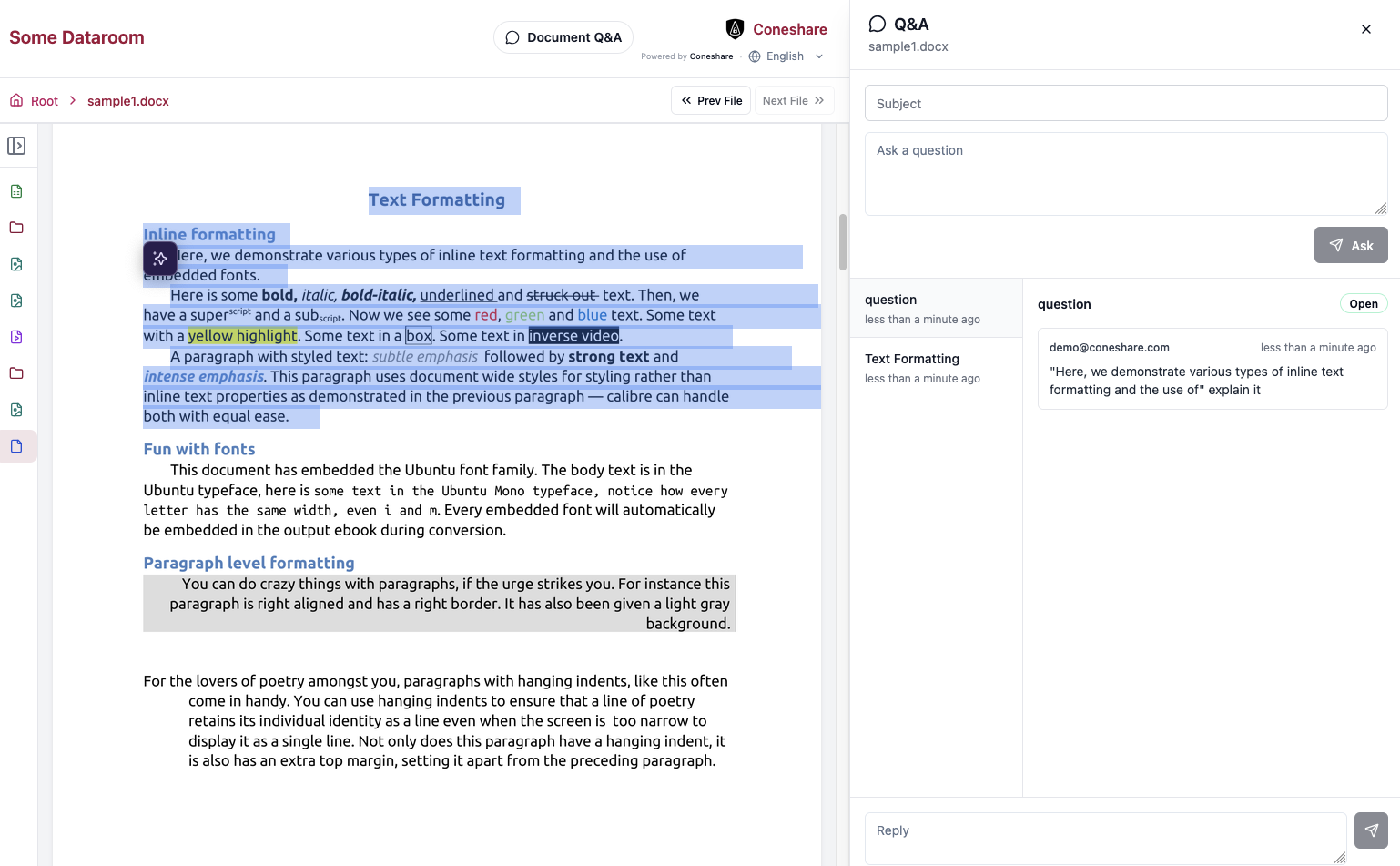
Server-rendered document pages (such as PDFs, presentations, and office files) provide strong security and cross-device consistency, but readers often need to select or copy reference snippets from a page.
V1.10 adds a transparent text-overlay layer powered by Poppler. Readers can now naturally select and copy text (when permissions allow) without compromising dynamic watermarking.
- Existing installations can run the new
backfill_page_textcommand to generate text overlays for documents uploaded in earlier versions.
3) Native HEIC/HEIF Image Support
Photos and scanned materials taken on Apple devices are often saved in HEIC format. Previously, users had to convert these images to JPEG or PNG before uploading.
Coneshare now natively ingests, converts, and previews HEIC/HEIF files, complete with per-page dynamic watermarking and audit analytics.
4) Full French Localization
We added full French (fr) language support across the entire platform, covering the web interface, email notifications, backend error messages, and documentation. French joins English, Chinese, and German in our language picker.
Improvements & bug fixes
1) CPU-capped video transcoding
High-resolution video uploads can quickly overwhelm server CPUs during transcoding. V1.10 introduces configurable FFmpeg presets, thread limits, and a 1080p resolution cap. In addition, video and audio streams that already match standard web formats are now copied directly without re-encoding, dramatically reducing server load.
2) Legacy .xls handling and copy stability
Legacy Excel files (.xls) are now converted smoothly via our background LibreOffice worker and routed directly to the new spreadsheet viewer. We also fixed an issue where copying documents could cause the PDF renderer to claim non-PDF file formats.
Next steps
- Upgrade to V1.10.0: Follow the standard upgrade process to pull the latest Docker images.
- Backfill text overlays: If you want selectable text on older documents, run:
docker compose exec backend python manage.py backfill_page_text - Try the spreadsheet viewer: Upload an
.xlsxor.csvto your library or dataroom and open the preview. - Full Changelog: Review the complete commit log for additional details.