Coneshare V1.9: Dataroom Collaboration, Storage Quotas & Ownership Transfer
Coneshare V1.9 adds team dataroom collaboration, independent room storage quotas, ownership transfers, link-level Q&A controls, and faster dashboard loading.
Collaborative datarooms, independent quotas, and ownership transfer
Coneshare V1.9 adds team collaboration to virtual datarooms. Multiple team members can now organize folders, upload documents, and share diligence materials together within the same room.
This release also introduces dedicated dataroom storage quotas, room ownership transfers, per-link Q&A controls, faster analytics dashboard loading, and a fix for document viewer reloads.
Major features in V1.9
1) Team Dataroom Collaboration
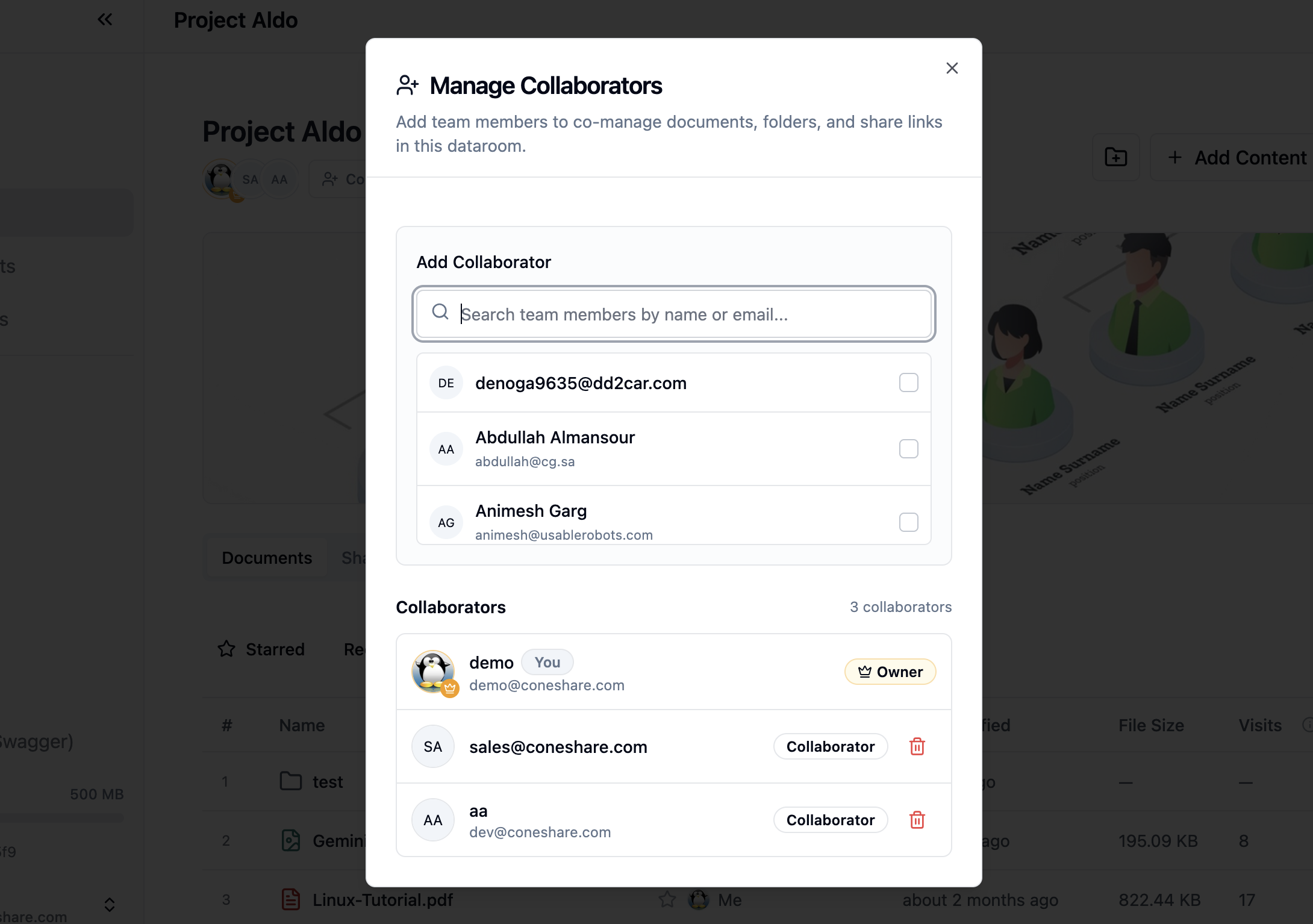
Dataroom owners can now invite teammates as collaborators to manage deal rooms, folders, and share links together. Teammates get access to the specific room without needing organization-wide administrative privileges, while personal document libraries remain private.
2) Dedicated Dataroom Storage Quotas
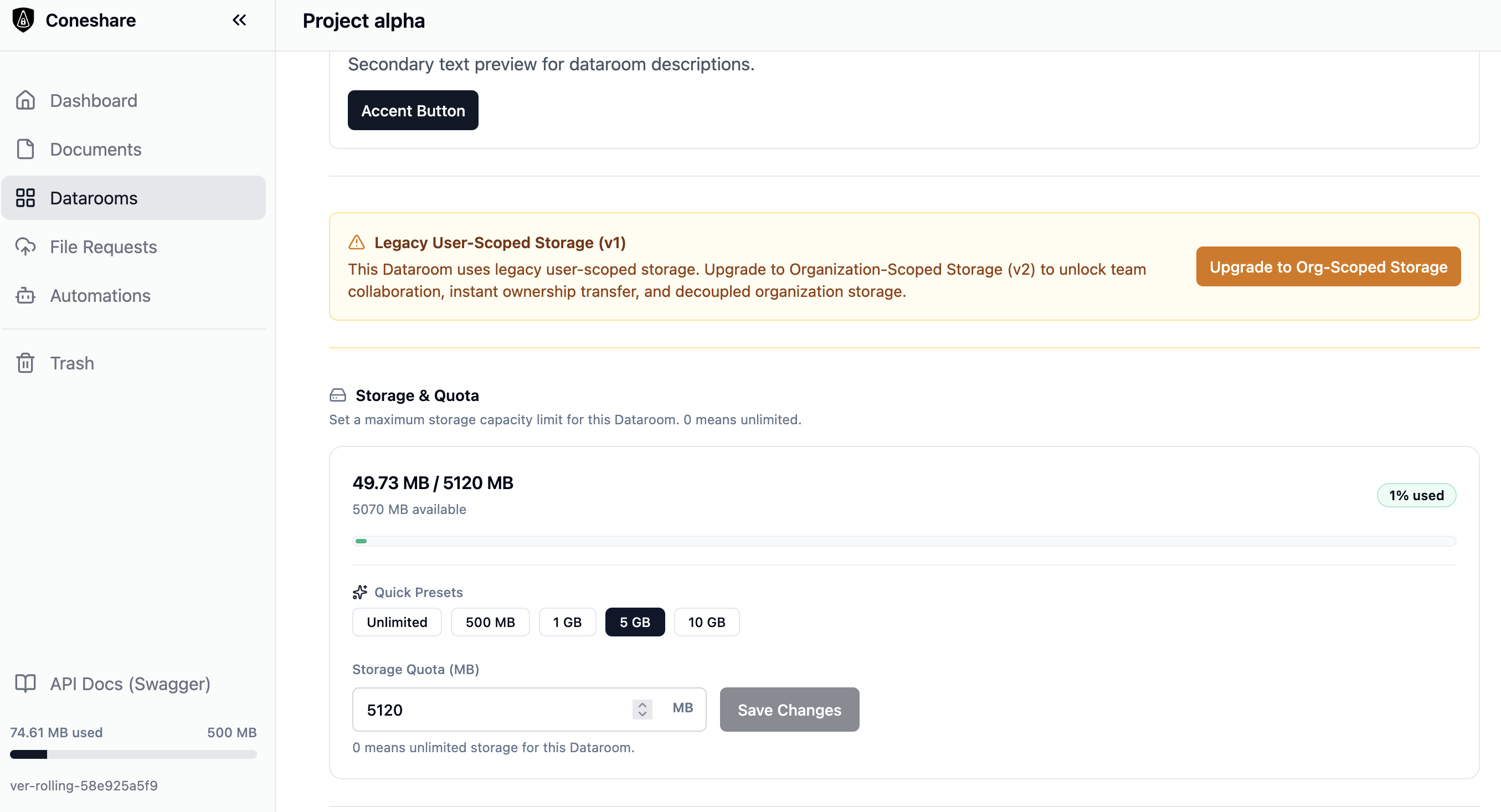
Files uploaded directly into a dataroom now count only against that room's storage quota. Uploading large diligence archives or video files into a shared room no longer consumes or locks the uploader's personal account quota.
3) Dataroom Ownership Transfer
Room owners and organization admins can now reassign dataroom ownership to another team member directly from Dataroom Settings. When project leads change or deals close, the new owner takes over all room documents, active share links, and viewer analytics without having to re-upload files or recreate links.
4) V2 System Vault Storage
Earlier versions stored dataroom files inside the creator's personal folders. That setup made collaboration awkward and error-prone when tracking room quotas, managing permissions, or transferring room ownership across teammates.
V1.9 moves dataroom files into organization-level vaults, separating shared room documents from personal user libraries. This makes storage behavior predictable and provides a much cleaner foundation for future feature expansion. Existing rooms remain on v1 storage and work normally; room owners can click Upgrade Storage in Dataroom Settings whenever they are ready to turn on collaboration or ownership transfer.
Community feature: Link-level Q&A controls
Contributed by @mfriedewald (PR #306)
You can now toggle the Q&A panel on or off at both the dataroom level and for individual share links.
If you are sharing files where questions or comments are not needed (such as one-off agreements or static presentations), you can turn off Q&A to keep the viewer interface simple and uncluttered.
Improvements & bug fixes
1) Folder modification timestamps
Modifying, moving, or deleting files now updates the parent folder's last-modified timestamp (mtime). This resolves issue #315, so folder sorting by date and external sync scripts reflect recent changes inside subfolders.
2) Viewer document reopening fix
Contributed by @jamesramsay (Commit 1a6eacf)
Fixed an issue where documents in the dataroom viewer did not reload properly after navigating away to other files and returning within the same session. Readers can now move between folders and open files without running into blank viewer states.
3) Faster dashboard loading
We reworked data loading on the analytics dashboard summary view to eliminate redundant queries (#323). The summary view now loads in under 10ms instead of roughly 1 second, keeping the page responsive even for accounts with thousands of visitor sessions.
Additional polish
- Admin dataroom oversight: Organization admins can view usage across all company datarooms and adjust storage quotas from the admin panel.
- Dataroom ordering and localization: Datarooms default to creation-time ordering, and action notifications now include full translations across all supported languages.
Next steps
- Upgrade to V1.9.0: Follow the standard upgrade process to pull the latest images.
- Upgrade existing datarooms to V2: Open any existing room where you want team collaboration and click Upgrade Storage in room settings.
- Invite teammates: Open your v2 dataroom to add collaborators and manage deal room files together.
- Configure Q&A: Turn Q&A on or off in Dataroom settings or within individual Share Link security options.
- Full Changelog: See the complete release notes for the full list of changes and commit history.