
Coneshare V1.6: White-Label Branding, Granular Version Control, and Rich Media Streaming
Coneshare V1.6 introduces full white-label customization, native video previewing and streaming, document version history with direct cloud file syncing, and interactive dataroom link overlays with PDF flattening.
Unifying Brand Identity, Control, and Rich Content
As organizations share critical documents, security data, and marketing collateral, maintaining a professional brand identity and robust control over document lifecycles becomes paramount.
Coneshare V1.6 is a major release designed to unify your external sharing experience. We have introduced full white-label customization, granular document version history with direct restore controls, seamless version synchronization for cloud-imported files, interactive dataroom link overlays with PDF flattening, and native video streaming.
These updates ensure that your clients see your brand, your team stays in control of document updates, and your viewers get an optimized viewing experience for both PDFs and rich media.
Major Features: Branding, Versioning, and Rich Media
1) White-Label Branding Customization
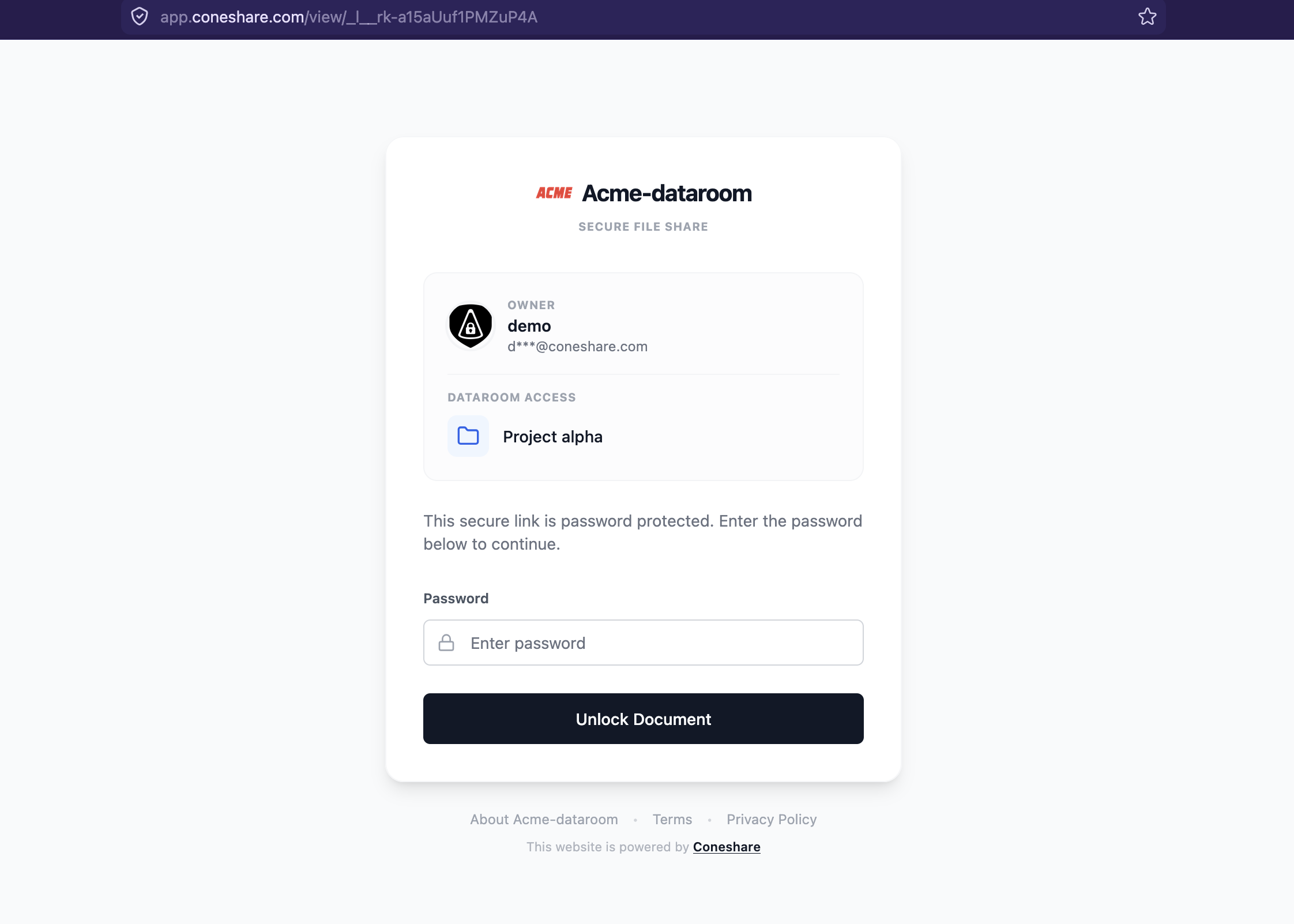
- The Change: Organizations can now customize the visual identity of their Coneshare portal. Through the Admin Settings panel, administrators can upload custom organization logos and configure branding banners or theme settings.
- The Result: All public-facing viewer screens—including password gates, email verification prompts, and shared datarooms—now display your organization’s branding instead of the default Coneshare styling, providing a completely cohesive, white-labeled experience for your clients.
2) Document Version List and Restore
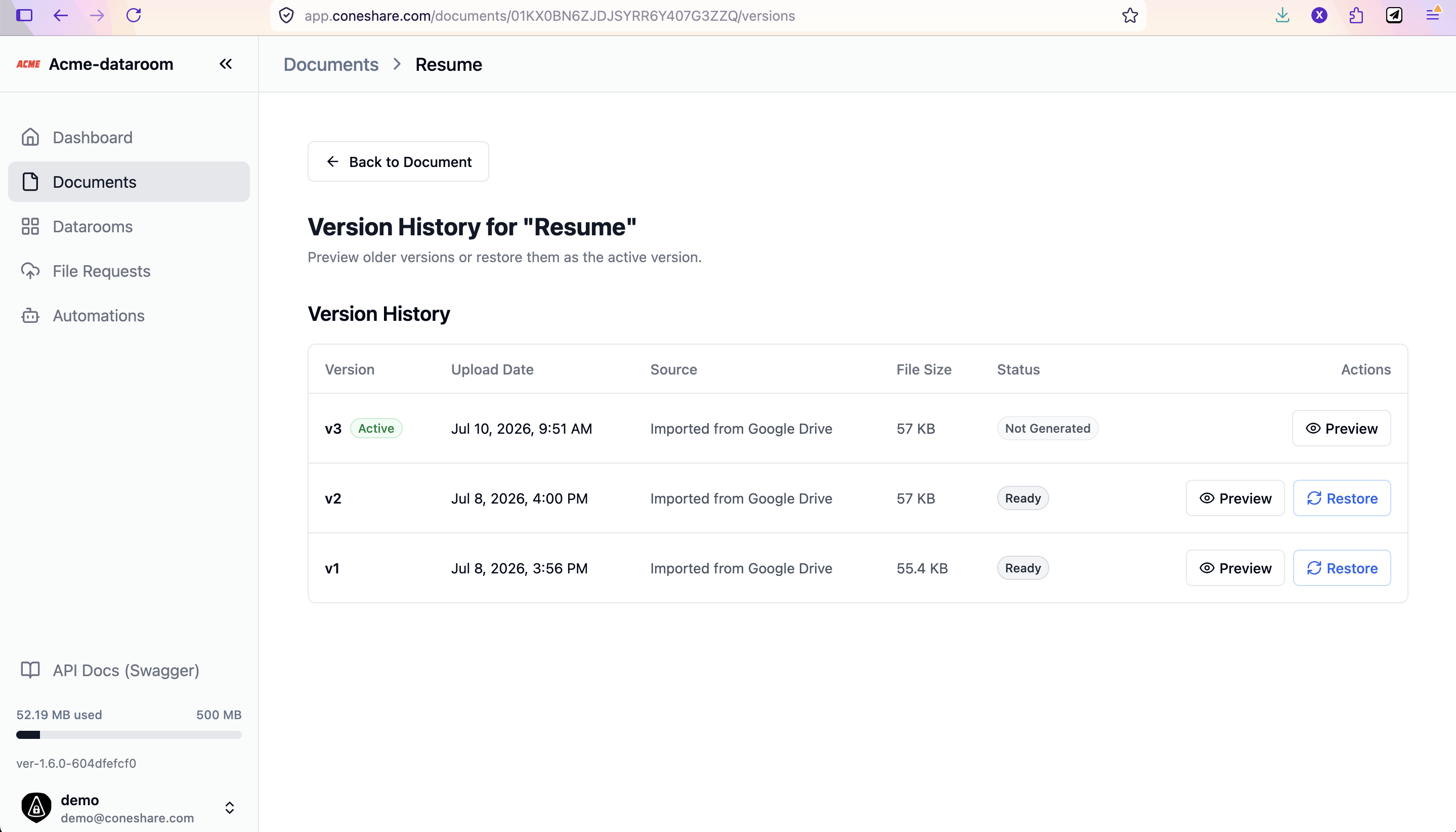
- The Change: Document versioning is now fully transparent and controllable. Users can access a dedicated Version History tab for any document to view all uploaded versions.
- The Result: Version history shows the upload date, file size, page count, and source details. If a document needs to be rolled back, users can promote any historical version to be the primary active version with a single click, instantly updating all public share links.
3) Version Syncing for Cloud-Imported Files
- The Change: Documents imported from cloud storage providers (such as Dropbox, Google Drive, or NextCloud) can now be updated directly from the source.
- The Result: When a new version of the file is created in your cloud storage, you can sync the update into Coneshare as a new version. Coneshare handles the version transition while filtering out sensitive OAuth and connection credentials to ensure metadata safety.
4) Interactive Clickable Links & PDF Flattening
- The Change: We added support for interactive link overlays inside documents shared within virtual datarooms. We also implemented PDF flattening during preview generation.
- The Result: Viewers can now click hyperlinks embedded within documents to navigate directly to referenced websites. Flattening ensures annotations, signatures, and link structures render correctly and consistently across all desktop and mobile browsers.
5) Native Video Previewing and Streaming
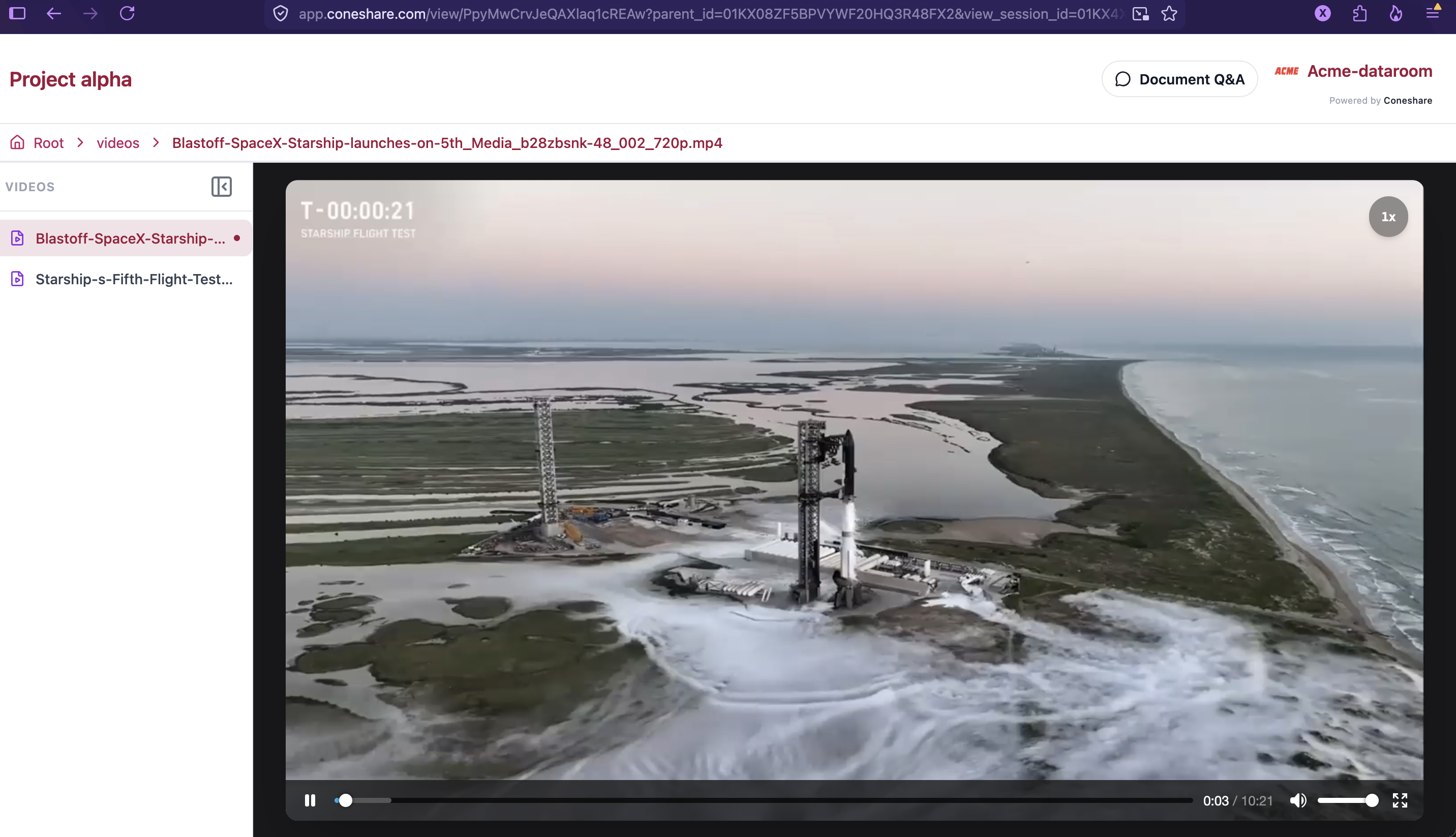
- The Change: Virtual datarooms now support video files natively in the inline viewer.
- The Result: Viewers can preview and stream video files directly within the dataroom interface without having to download them to their local machines. This ensures a faster, safer, and more immersive viewing experience for product demos, walkthroughs, or video documentation.
UI Improvements: Refined Navigation & Header Editing
Inline Document Renaming and Header Updates
We have redesigned the main document workspace header. The new header provides clearer metadata representation (such as the display-safe cloud import source badge) and allows document owners to rename files inline directly from the top navigation bar, eliminating extra menu steps.
For full technical details, see the release changelog.
Next Steps
- Upgrade to V1.6.0: Follow the standard upgrade process to get these features.
- Configure video streaming: Video previews are disabled by default. To enable them, set
ENABLE_VIDEO_PREVIEW=truein your/opt/coneshare/app.envconfiguration. (see the Video Preview Settings documentation for detailed setup). - Set up your branding: Go to Admin Settings to upload your custom logo and configure your portal banner.
- Manage your document lifecycles: Explore the new Version History tab on your documents to inspect upload history and manage active versions.